• Logo
    Music Make AI
  • Início
Ferramentas
  • Gerar
  • Estender
  • Capa
  • Adicionar Faixa
  • Remover Vocal
  • Conversor de Áudio
  • Qwen3 TTS
EmailDiscord
  • Gerador de Letras IA
  • Gerador de Estilos IA
  • Preços
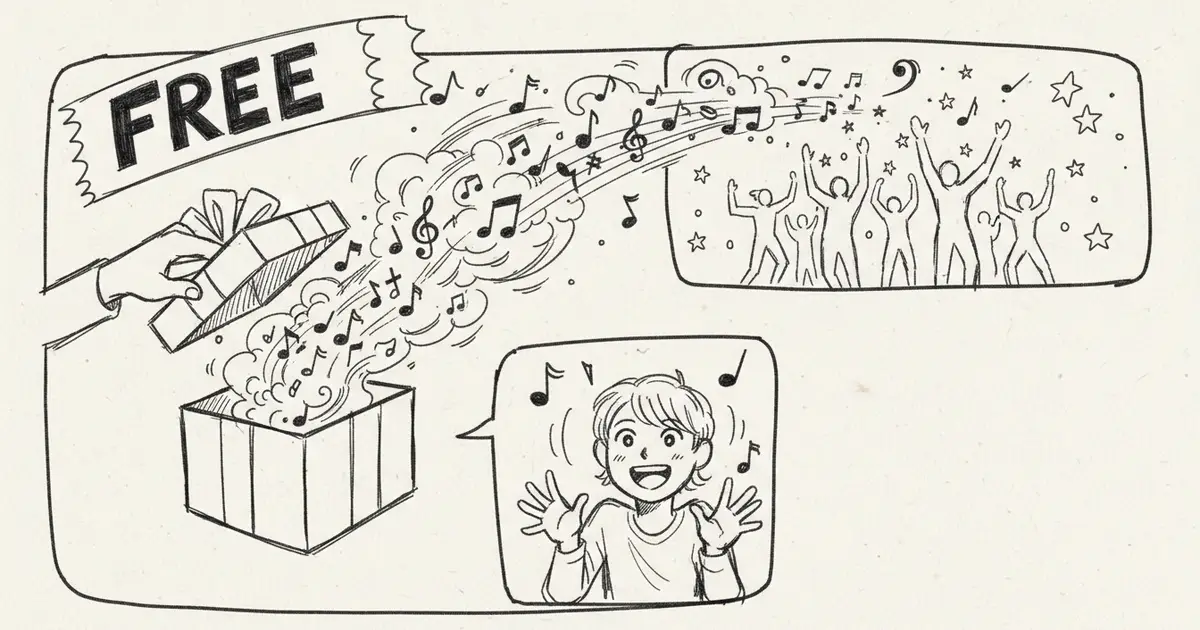
Free AI Music Creation Guide 2026: Best Free Tools & Tips
2026/01/03

Free AI Music Creation Guide 2026: Best Free Tools & Tips

Complete guide to creating music with free AI tools in 2026. Compare best free AI music generators, learn tips and tricks, start making music today for $0.

Introduction: Make Music for Free with AI

Creating professional music doesn't have to cost money. In 2026, several AI music generators offer powerful free tiers that let you create, download, and even monetize music without spending a cent. This guide shows you exactly how to get started with free AI music creation.

Best Free AI Music Generators (2026)

1. MusicMake.ai Free ⭐⭐⭐⭐⭐

What You Get FREE:

  • 5 songs per month
  • Full feature access
  • Commercial use (with attribution)
  • Multiple music styles
  • High-quality downloads

Limitations:

  • Watermark on free songs
  • 5 songs/month limit
  • Attribution required for commercial use

Best For: Beginners learning AI music

Try MusicMake.ai Free →

2. Suno Free ⭐⭐⭐⭐

What You Get FREE:

  • Limited credits
  • v4.5 model access
  • Non-commercial use
  • 2 concurrent generations

Limitations:

  • No commercial use
  • Limited credits
  • Lower priority queue

Best For: Testing and personal projects

3. Soundraw Free Trial

What You Get FREE:

  • 14-day trial
  • Unlimited downloads during trial
  • All features

Limitations:

  • Trial only (not permanently free)
  • Must cancel before billing

Best For: Short-term projects

How to Maximize Free AI Music Tools

Strategy 1: Use Multiple Platforms

Combine free tiers:

  • MusicMake.ai: 5 songs/month
  • Suno: 10-20 songs/month
  • Boomy: 3 releases

Total: 18-28 free songs per month!

Strategy 2: Plan Your Generations

Don't waste credits:

  1. Write detailed prompts first
  2. Test one short version
  3. If good, generate full song
  4. Use remaining credits wisely

Strategy 3: Use Free Enhancement Tools

After generating:

  • Audacity (free editor)
  • LMMS (free DAW)
  • BandLab (free online DAW)

Step-by-Step: Your First Free AI Song

Using MusicMake.ai Free

Step 1: Sign Up (30 seconds)

  1. Visit MusicMake.ai
  2. Click "Sign Up"
  3. Use email or Google login
  4. Verify email

Step 2: Choose Your Style (2 minutes)

  • Browse style categories
  • Select genre (Pop, Rock, Electronic, etc.)
  • Pick mood (Happy, Sad, Energetic)
  • Set tempo

Step 3: Enter Your Prompt (3 minutes)

Example prompts:

"Upbeat pop song about summer love,
catchy chorus, female vocals"

"Chill lo-fi hip hop beat for studying,
relaxing piano, soft drums"

"Energetic rock anthem, powerful guitar,
motivational lyrics"

Step 4: Generate (1-2 minutes wait)

  • Click "Generate"
  • Wait for AI to create
  • Listen to preview

Step 5: Download

  • If satisfied, download
  • MP3 format included
  • Save to your device

Total time: 10-15 minutes

Free vs Paid: What's the Difference?

FeatureFree TierPaid ($8-10/mo)
Songs per month5-10Unlimited
Commercial use⚠️ Limited✅ Full rights
Watermark✅ Yes❌ No
QualityHighHighest
Priority queueLowHigh
Advanced featuresLimitedAll
Customer supportBasicPriority

When to upgrade:

  • Making money from music
  • Need more than 10 songs/month
  • Professional projects
  • Want no watermark

Stick with free if:

  • Learning/practicing
  • Personal projects
  • Not monetizing
  • Occasional use

Creative Ways to Use Free AI Music

1. YouTube Background Music

Perfect for:

  • Vlogs
  • Tutorials
  • Gaming videos
  • Podcasts

Tip: Use MusicMake.ai free tier with proper attribution in description

2. Social Media Content

Platforms:

  • TikTok
  • Instagram Reels
  • YouTube Shorts

Strategy: Create 15-30 second clips from AI songs

3. Personal Projects

  • Birthday videos
  • Wedding slideshows
  • School presentations
  • Hobby videos

4. Learning Music Production

  • Study song structure
  • Analyze arrangements
  • Practice mixing
  • Build your ear

Tips to Make Free AI Music Sound Professional

Tip 1: Write Better Prompts

❌ Bad prompt: "Make a song"

✅ Good prompt: "Create an upbeat indie pop song with acoustic guitar, hand claps, and cheerful whistling. Theme: road trip adventure. Tempo: 120 BPM."

Elements of great prompts:

  • Specific genre
  • Mood/emotion
  • Instruments mentioned
  • Tempo (BPM)
  • Theme/story
  • Vocal type (if needed)

Tip 2: Generate Multiple Versions

Use your monthly credits wisely:

  • Generate 2-3 variations
  • Pick the best one
  • Learn what prompts work

Tip 3: Edit After Generation

Free editing tools:

  • Audacity: Trim, fade, EQ
  • BandLab: Online DAW
  • GarageBand: Mac users

Simple edits:

  • Trim intro/outro
  • Fade in/out
  • Adjust volume
  • Add simple effects

Tip 4: Combine with Free Resources

Add to AI music:

  • Free sound effects (Freesound.org)
  • Free samples (Splice free tier)
  • Free vocals (record yourself)
  • Free mixing (BandLab)

Common Free Tier Limitations (And Workarounds)

Problem 1: Monthly Limit Reached

Solutions:

  • Use multiple platforms
  • Wait for next month
  • Upgrade temporarily ($8 for one month)
  • Use free trials

Problem 2: Watermark on Downloads

Solutions:

  • Keep watermark (it's subtle)
  • Credit the platform
  • Use for non-commercial only
  • Upgrade for important projects

Problem 3: Can't Use Commercially

Solutions:

  • Use MusicMake.ai (allows commercial with credit)
  • Don't monetize the content
  • Upgrade for commercial projects
  • Use royalty-free music libraries instead

Free Music Creation Workflow

Phase 1: Planning (Day 1)

Tasks:

  • Decide on 5 songs to create (monthly limit)
  • Write prompts for each
  • Gather inspiration/references
  • Set goals for each track

Phase 2: Generation (Day 2-3)

Tasks:

  • Generate all 5 songs
  • Create 2-3 variations of favorites
  • Download all outputs
  • Organize files

Phase 3: Enhancement (Day 4-5)

Tasks:

  • Edit in free DAW
  • Add effects if needed
  • Mix and master (basic)
  • Export final versions

Phase 4: Use (Ongoing)

Tasks:

  • Add to projects
  • Share online
  • Gather feedback
  • Learn for next month

FAQs About Free AI Music

Q: Is free AI music really free forever?

A: Platforms like MusicMake.ai offer permanent free tiers. Others may change policies, but free tiers are likely to stay for user acquisition.

Q: Can I make money with free AI music?

A:

  • MusicMake.ai Free: Yes, with attribution
  • Most others: No (non-commercial only)
  • Always check specific TOS

Q: Will the quality be worse on free tier?

A: Usually no. Same AI models, same quality. Main differences:

  • Monthly limits
  • Watermarks
  • Lower priority

Q: What's the catch?

A:

  • Limited generations
  • Commercial restrictions (sometimes)
  • Watermarks
  • Attribution requirements

These are reasonable trade-offs for free access!

Q: Can I upgrade later?

A: Yes! All platforms allow easy upgrades:

  • Keep your free songs
  • Get more features
  • Can downgrade anytime

Conclusion: Start Creating Free Music Today

You don't need to spend money to create professional AI music in 2026. With free tiers from platforms like MusicMake.ai, Suno, and others, you can:

  • Create 15-30 songs per month (using multiple platforms)
  • Learn music production
  • Build your portfolio
  • Share your creations

Action Plan:

  1. ✅ Sign up for MusicMake.ai free account
  2. ✅ Plan your first 5 songs
  3. ✅ Generate and download
  4. ✅ Edit and enhance
  5. ✅ Share and get feedback

Ready to create your first free AI song? Start Free Now →


Last updated: January 3, 2026

Todos os posts

Autor

avatar for AI Music Expert
AI Music Expert

Categorias

  • AI Music
  • Tutorials
Introduction: Make Music for Free with AIBest Free AI Music Generators (2026)1. MusicMake.ai Free ⭐⭐⭐⭐⭐2. Suno Free ⭐⭐⭐⭐3. Soundraw Free TrialHow to Maximize Free AI Music ToolsStrategy 1: Use Multiple PlatformsStrategy 2: Plan Your GenerationsStrategy 3: Use Free Enhancement ToolsStep-by-Step: Your First Free AI SongUsing MusicMake.ai FreeFree vs Paid: What's the Difference?Creative Ways to Use Free AI Music1. YouTube Background Music2. Social Media Content3. Personal Projects4. Learning Music ProductionTips to Make Free AI Music Sound ProfessionalTip 1: Write Better PromptsTip 2: Generate Multiple VersionsTip 3: Edit After GenerationTip 4: Combine with Free ResourcesCommon Free Tier Limitations (And Workarounds)Problem 1: Monthly Limit ReachedProblem 2: Watermark on DownloadsProblem 3: Can't Use CommerciallyFree Music Creation WorkflowPhase 1: Planning (Day 1)Phase 2: Generation (Day 2-3)Phase 3: Enhancement (Day 4-5)Phase 4: Use (Ongoing)FAQs About Free AI MusicQ: Is free AI music really free forever?Q: Can I make money with free AI music?Q: Will the quality be worse on free tier?Q: What's the catch?Q: Can I upgrade later?Conclusion: Start Creating Free Music Today

Mais posts

Suno AI Pricing Plans 2026: Complete Cost Guide & Download Options
AI Music

Suno AI Pricing Plans 2026: Complete Cost Guide & Download Options

Complete breakdown of Suno AI pricing in 2026. Compare Free, Pro, and Premier plans. Understand download costs, credit systems, and find the best value for your music creation needs.

avatar for AI Music Expert
AI Music Expert
2026/01/15
AI Music Industry Impact 2026: How AI Is Reshaping Music Forever
AI Music

AI Music Industry Impact 2026: How AI Is Reshaping Music Forever

Deep analysis of AI's impact on the music industry in 2026. Explore how AI music generators are changing creation, distribution, jobs, and what it means for artists and listeners.

avatar for AI Music Expert
AI Music Expert
2026/01/15
YouTube AI Generated Music Policy 2026: Complete Guidelines for Creators
AI Music

YouTube AI Generated Music Policy 2026: Complete Guidelines for Creators

Understand YouTube's 2026 policies for AI-generated music. Learn about monetization rules, Content ID, copyright claims, disclosure requirements, and best practices for AI music creators.

avatar for AI Music Expert
AI Music Expert
2026/01/15
Logo
Music Make AI

Gerador de Música IA · Sem royalties · Licença comercial disponível

TwitterX (Twitter)DiscordEmail
Produto
  • Gerador de Música IA
  • Preços
  • Perguntas frequentes
  • Licença Comercial
Ferramentas IA
  • Gerador de Música IA
  • Gerador de Canções IA
  • Criador de Música IA
  • Criador de Canções IA
  • Texto para Música
  • Letras para Música
  • Gerador de Covers IA
  • Estender Música
  • Removedor de Vocais IA
  • Clonagem de Voz
  • Qwen3 TTS
Mais Ferramentas
  • Gerador de Toques IA
  • Gerador de Música Relaxante para Sala de Aula
  • Gerador de Ansiedade para Música
  • Gerador de Música para Vlog
  • Gerador de Música para Dormir
  • Gerador de Poemas para Música
  • Gerador de Clima para Música
  • Gerador de Música de Natal Brainrot
  • Gerador de Movimento para Música
  • Gerador de Música Relaxante
  • Gerador de Caixa para Música
  • Gerador de Músicas Abracadabra
  • Gerador de Música Trot
  • Gerador de Citações para Música
Recursos
  • Blog
  • Comentários
  • Registro de alterações
Empresa
  • Sobre
  • Contato
Jurídico
  • Política de Privacidade
  • Termos de Serviço
  • Política de Reembolso
Friends
  • Seedance AI
  • Seedream AI
  • Kling AI
  • Song Unique
© 2026 Music Make AI All Rights Reserved. DREAMEGA INFORMATION TECHNOLOGY LLC
[email protected]
Music Make - Create Electronic Beats with Music Make AI | Product Hunt




