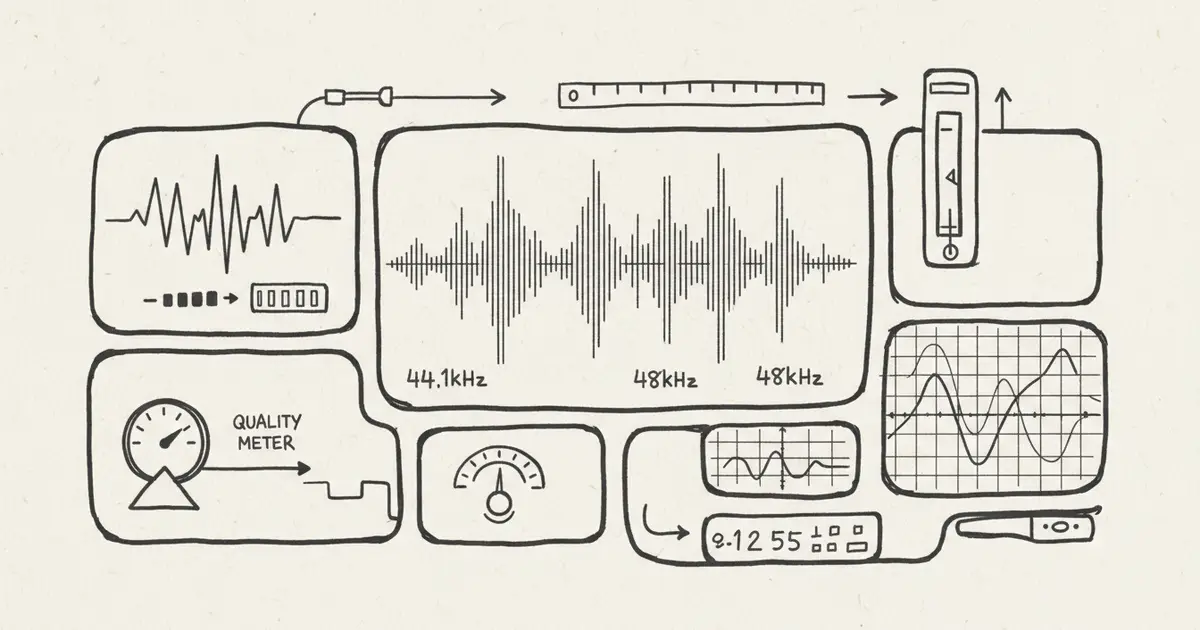
Suno Audio Quality and kHz Specs 2026: What to Verify Before Publishing
A practical technical guide to Suno audio quality, sample rates, export formats, and how to verify specs before using AI music in video, streaming, or client work.
Quick Answer
Do not rely on a blog table that claims exact Suno sample rates, bit depths, frequency response, or export formats unless it links to current official documentation or a reproducible test.
For publishing, the practical questions are:
- What file format can your current plan export?
- What sample rate and bit depth does the downloaded file actually have?
- Does your destination require a specific format?
- Is the track clean enough after compression, editing, and upload?
- Do you need WAV for production, or is high-quality MP3 enough?
Why Exact Specs Are Easy to Misstate
AI music platforms update models, encoders, export formats, and plan features. A table that says "Free is X kHz, Pro is Y bit, Premier is Z format" can become wrong quickly.
Also, some specs are not visible from the public UI. If the provider does not publish them, the honest approach is to test the downloaded file.
How to Check the File Yourself
After downloading a track, inspect it with a real audio tool:
- MediaInfo
- ffprobe
- Audacity
- Adobe Audition
- Logic Pro
- Reaper
Example checks:
Format: MP3 or WAV
Sample rate: 44.1 kHz or 48 kHz
Bit depth: 16-bit or 24-bit for WAV
Bitrate: visible for MP3/AAC
Channels: mono or stereo
Duration: final exported length
This is better than copying specs from a stale article.
What Specs Matter by Use Case
YouTube and social video
Most creators need:
- clean stereo output
- enough headroom for voiceover
- no obvious artifacts after upload compression
- a license that covers monetized use
- records of the plan and generation
If the music sits under speech, mix clarity matters more than exotic sample rates.
Podcast background music
Priorities:
- low distraction
- clean loop or intro/outro version
- controlled loudness
- no harsh high-frequency artifacts
- clear license for podcast use
Streaming release
Priorities:
- distributor-accepted format
- clean master
- correct metadata
- source rights
- generation and license records
Check your distributor's requirements before uploading.
Client video or ad
Priorities:
- export format required by the editor
- source rights cleared
- plan terms covering client work
- final loudness target
- contract language for AI-assisted music
For important client work, WAV is often easier to edit and archive than compressed audio.
MusicMake.ai vs Suno: Technical Fit
Suno can be strong for vocal-song ideation. MusicMake.ai is useful when the issue is not only raw audio quality, but workflow:
- use Generate for first drafts
- use Music Agent to turn feedback into a better prompt
- use Extend when a track needs a longer continuation
- use Replace Section for targeted fixes
- use Add Tracks when the arrangement needs more parts
- use Vocal Remover for supported separation workflows
Technical quality matters, but many creator projects fail because the track is too busy, too rhythmic, too vocal, too short, or not licensed for the final use. Music Agent is designed to help with those workflow failures.
Practical Audio Quality Checklist
Before publishing an AI-generated track:
- Download the highest quality format available under your plan.
- Inspect the file with MediaInfo or a DAW.
- Listen on headphones, laptop speakers, and phone speakers.
- Check for artifacts in cymbals, vocals, reverb tails, and bass.
- Leave headroom before uploading to video platforms.
- Avoid over-compressing already dense AI mixes.
- Save the final exported file and generation record.
- Confirm the commercial-use terms for the destination.
Common Mistakes
Mistake 1: Chasing kHz instead of usability
A track can have a good sample rate and still fail because the mix is crowded or the melody fights the voiceover.
Mistake 2: Upscaling compressed audio and calling it lossless
Converting an MP3 to WAV does not recreate lost information. If you need WAV, export WAV from the platform when available.
Mistake 3: Ignoring upload compression
YouTube, TikTok, and streaming platforms transcode audio. Test the final uploaded result, not only the local file.
Mistake 4: Forgetting the license
Technical quality does not create commercial rights. Check the plan and keep records.
FAQ
What sample rate does Suno use?
Check current Suno documentation and inspect your downloaded file. Public model and export details can change.
Is WAV always better than MP3?
WAV is better for editing and archiving because it is uncompressed. MP3 can be enough for drafts, casual sharing, or some online use cases.
Can I improve a low-quality export?
You can polish EQ, loudness, and noise, but you cannot fully restore information lost to compression. Regenerate or re-export at a higher quality when possible.
Does MusicMake.ai publish WAV?
Check the current pricing page for export formats by plan. Export availability can change with product updates.
What matters most for video background music?
Clarity under speech, stable dynamics, clean licensing, and a mix that survives platform compression.
Conclusion
Audio specs matter, but unverifiable spec tables do not help creators.
For Suno or any AI music tool, verify the current export format, inspect the downloaded file, test it in the final destination, and keep license records. If the track itself needs creative repair, compare raw generation with MusicMake.ai Music Agent, which helps turn feedback into a better next action.
Auteur

Catégories
Plus d'articles

MusicMake.ai Mobile Update: Create Music From Your Phone Like an App
MusicMake.ai now gives creators a complete mobile flow for listening, generating, refining with Music Agent, opening tools, and managing songs from a phone.

AI Songwriting Guide: How to Write Songs with AI in 2026
Learn how to use AI songwriting tools to write better songs faster. Step-by-step guide covering lyrics, melody, arrangement, and production with AI assistance.

how to become a music producer with ai tools - MusicMake.ai Guide
Learn about how to become a music producer with ai tools with this comprehensive guide from MusicMake.ai.
