AIVA vs MusicMake.ai
Compare AIVA and MusicMake.ai by copyright ownership, pricing, commercial limits, MIDI/audio downloads, upload influence terms, and song workflow.
Quick Answer
AIVA is a strong choice if your top priority is AI composition with explicit plan-based copyright ownership, MIDI/audio downloads, and Pro full copyright for generated compositions.
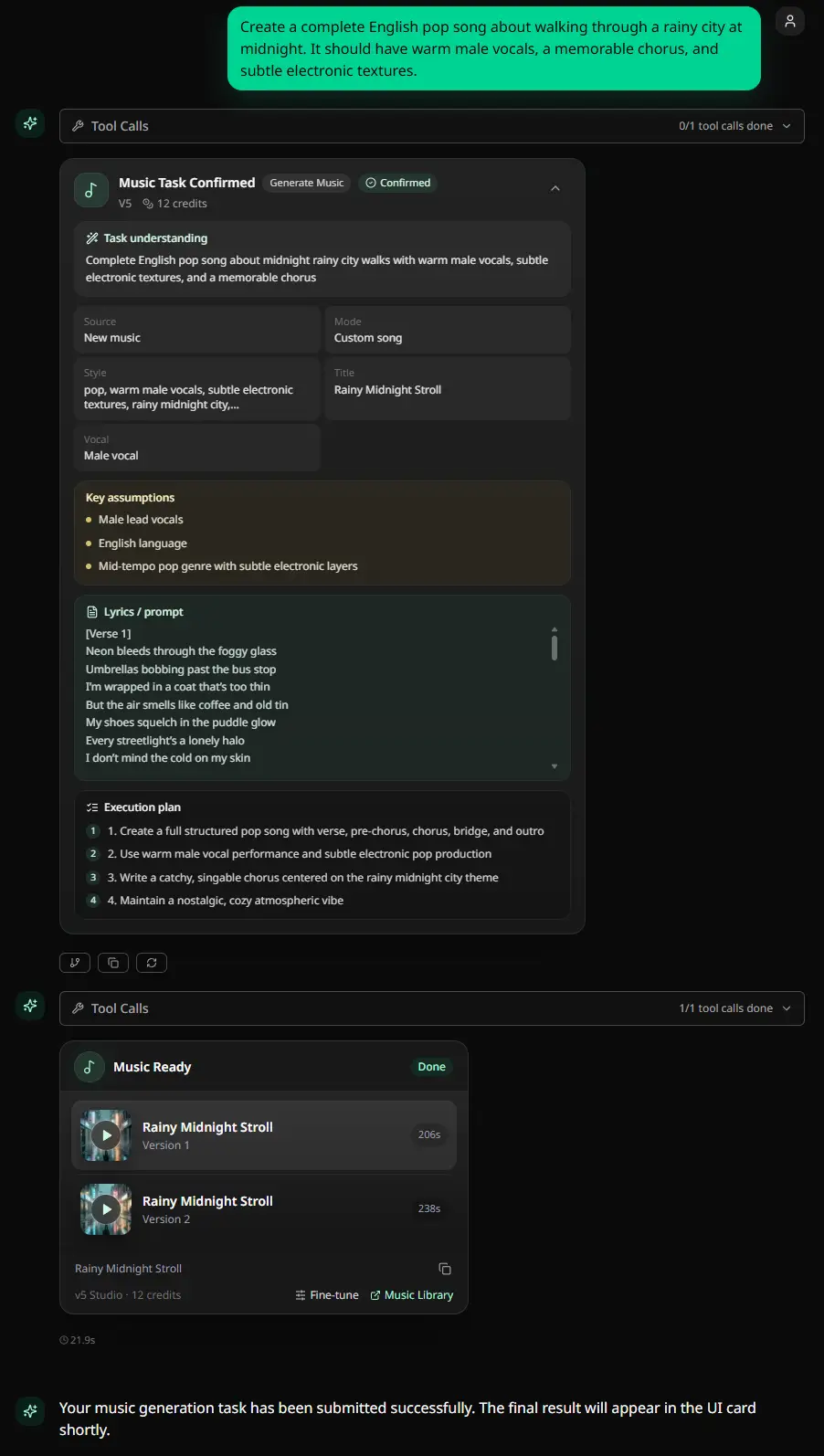
MusicMake.ai is a stronger fit if you want music generation connected to a fuller song workflow: direct AI music generation, Music Studio, lyrics and style prep, source-based editing tools, Explore, Listen, playlists, profiles, My Works, and optional Music Agent guidance.
The short verdict: choose AIVA Pro when full copyright ownership of AI-generated compositions is the deciding factor. Choose MusicMake.ai when you want a music-first workspace for generating, revising, organizing, listening, and continuing work on songs.
The Honest Verdict
| Need | Better fit | Why |
|---|---|---|
| Explicit copyright ownership | AIVA Pro | AIVA states Pro users own the copyright of their compositions. |
| MIDI composition workflow | AIVA | AIVA centers on MIDI/audio compositions and downloads. |
| Limited social monetization | AIVA Standard | Standard allows monetization on YouTube, Twitch, TikTok, and Instagram, but copyright remains with AIVA. |
| Free non-commercial testing | AIVA | Free is €0, but copyright is owned by AIVA, monetization is not allowed, and credit is required. |
| Direct AI music generation | Both | MusicMake.ai includes direct generator and Studio workflows alongside Music Agent. |
| Lyrics and vocal-song workflow | MusicMake.ai | MusicMake.ai is stronger for lyrics-first songs, vocal-song workflows, and direct song iteration. |
| Connected post-generation workflow | MusicMake.ai | Generator, Studio, prep tools, editing tools, Explore, Listen, playlists, profiles, My Works, and optional Agent guidance live together. |
| Community/listening/library surface | MusicMake.ai | MusicMake.ai has Explore, Listen, playlists, profiles, and My Works around creation. |
AIVA is not a weak generator. It is a serious AI composition assistant with unusually explicit copyright tiers. The useful comparison is AIVA's copyright-focused composition workflow versus MusicMake.ai's broader connected song workflow.
Current AIVA Product Facts
AIVA positions itself as a personal AI music generation assistant. Its homepage says it can generate songs in more than 250 styles, lets users create style models, upload audio or MIDI influences, edit generated tracks, and download in multiple file formats.
Its visible product surface includes:
- AI music composition
- more than 250 styles
- style model creation
- audio or MIDI influence upload
- track editing
- MP3 and MIDI downloads
- WAV and all-file-format downloads on Pro
- Free, Standard Annually, and Pro Annually plans
- student/school and enterprise paths
- songs created with AIVA showcase
- EULA-defined license types
Source checked: AIVA homepage and pricing.
AIVA's strongest positioning is composition and ownership clarity, especially for users who need MIDI/audio composition files and a formal license model.
Current AIVA Pricing Facts
AIVA pricing was checked from its official homepage pricing section on June 17, 2026.
| AIVA plan | Visible annual-view price | Rights / monetization | Downloads and formats |
|---|---|---|---|
| Free | €0 | Copyright owned by AIVA; no monetization; AIVA credit required | 3 downloads/month; up to 3 minutes; MP3 and MIDI |
| Standard Annually | €11/month + VAT, billed annually | Copyright owned by AIVA; limited monetization; no AIVA credit required | 15 downloads/month; up to 5 minutes; MP3 and MIDI |
| Pro Annually | €33/month + VAT, billed annually | Copyright owned by the user; full monetization; no AIVA credit required | 300 downloads/month; up to 5 min 30 sec; all file formats; high-quality WAV |
Source checked: AIVA pricing.
This is a real AIVA advantage: the pricing page makes the copyright split visible. Free and Standard keep copyright with AIVA. Pro transfers copyright to the user.
The current checked prices above are annual-view prices. AIVA's page displays a BILLED MONTHLY option, but monthly amounts were not visible in the checked public page state, so this comparison uses the annual-view figures only and does not infer checkout totals.
AIVA License Types
AIVA's EULA defines three license types based on the user's plan.
| AIVA license type | Practical meaning |
|---|---|
| Non-Commercial License | Non-exclusive, non-transferable, non-commercial use in content the user has rights over. |
| Limited Commercial License | Adds monetization on YouTube, Twitch, TikTok, and Instagram. |
| Full Copyright | AIVA assigns, grants, and conveys all copyrights of the MIDI and/or Audio Composition to the user. |
Source checked: AIVA End User License Agreement.
That makes the buyer decision very clear:
- Free is for non-commercial use with AIVA credit.
- Standard is for limited monetization on listed social platforms, while AIVA still owns the copyright.
- Pro is for users who need copyright ownership and full monetization under the plan's criteria.
- The help article says upgrading to Pro Monthly or Pro Annually gives the user copyright ownership of compositions created before the Pro subscription started and during the Pro subscription.
- The same article says canceling Pro does not remove copyright ownership of compositions the user already owned before cancellation.
Refunds and Usage Limits
AIVA's EULA says refunds are available only if the customer has not used any premium features of the paid plan. Once premium features have been used, the refund right is waived. The EULA also says no refund is made if the user forgets to cancel or downgrade before renewal.
The same EULA includes important usage limits:
- accounts cannot be shared by multiple individuals
- private API calls are not allowed without a separate agreement
- compositions created through private APIs are not licensed to or owned by the user
- Audio, MIDI, chord files, or samples cannot be used as training data for machine-learning, deep-learning, or statistical algorithms without a separate agreement
- compositions cannot be used as part of a large-scale music database outside individual use
- a single user cannot create more than 5 compositions at one time, 100 compositions per hour, or 400 compositions every 24 hours
- a single user cannot store more than 4,000 compositions in the account at one time
Source checked: AIVA EULA refunds and technology limits.
The buyer conclusion: AIVA is strong on copyright clarity, but Pro is not an unlimited API, dataset, resale, or refund-anytime plan.
Upload Influence Caveat
AIVA supports uploading MIDI or audio as an influence. That is useful for composition workflows, but the EULA adds an important condition: users grant AIVA a worldwide, non-exclusive, commercial, transferable license to train AIVA's AI systems on the uploaded influence in perpetuity.
The user also warrants that the uploaded influence does not infringe third-party rights and takes responsibility for claims.
Source checked: AIVA EULA Upload Influence section.
So if you use AIVA's upload-influence workflow, only upload MIDI or audio you own or have the right to use. This is especially important for composers using references, stems, demos, or client material.
MusicMake.ai Pricing Anchor
MusicMake.ai uses a credit-based membership model:
| MusicMake.ai plan | Monthly | Annual | Credits |
|---|---|---|---|
| Basic | $16.99/mo | $119.88/year | 900 credits/month |
| Pro | Starts at $29.99/mo | Starts at $179.94/year | Starts at 1,400 credits/month |
| Max | $149.99/mo | $839.88/year | High-volume monthly credit pool |
This does not prove MusicMake.ai is cheaper than AIVA. AIVA uses Euro pricing, VAT, annual-view discounts, and a different rights model.
MusicMake.ai is more compelling when the buyer wants a connected song workflow rather than primarily copyright-focused instrumental composition.
Where AIVA Fits Best
AIVA is a strong fit when the user thinks like this:
I need instrumental or composition-first AI music.
I want MIDI downloads.
I need clear Free / Standard / Pro copyright boundaries.
I want full copyright ownership on Pro.
I care more about composition rights than lyrics, vocals, or community workflow.
I am comfortable with AIVA's upload-influence training terms.For that buyer, AIVA may be the more direct choice.
Where MusicMake.ai Is Different
MusicMake.ai is stronger when the first generated song is only the beginning.
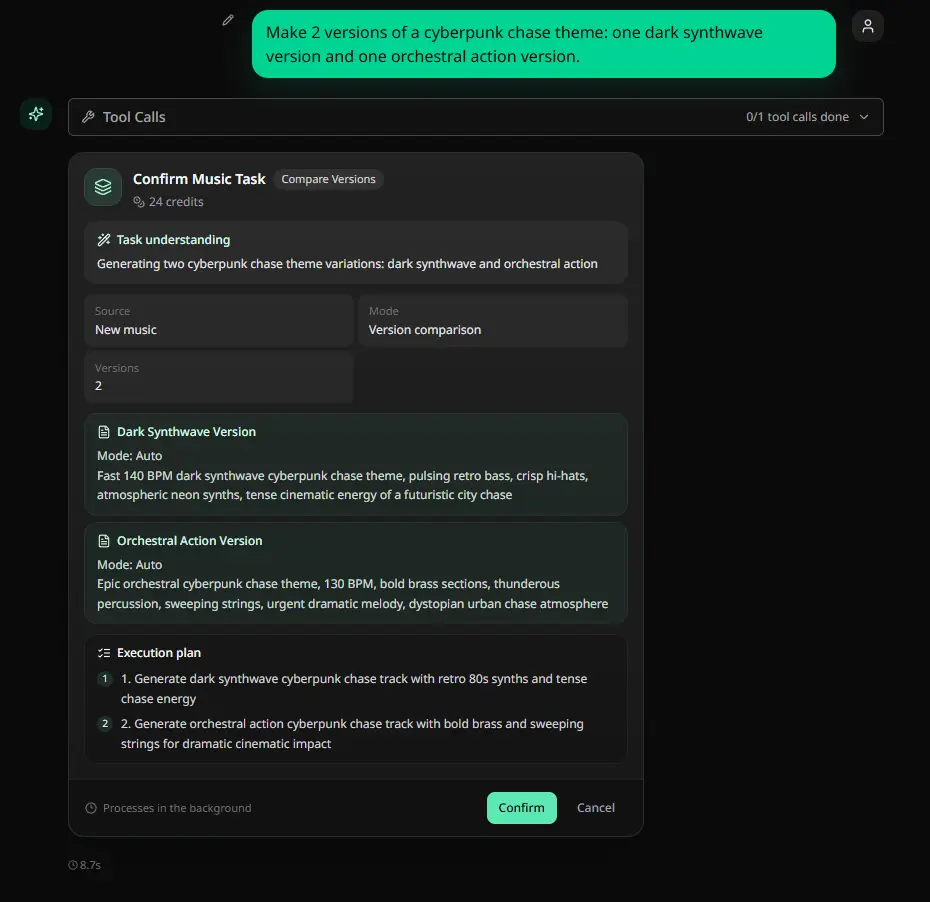
Use Generate when your prompt is clear. Use Music Studio when you want a broader creation surface. Use direct tools when the song needs a specific operation. Use Music Agent when the feedback is easier to describe than to route manually.
MusicMake.ai workflows include:
- Generate for first drafts
- Music Studio for a broader creation workspace
- AI Lyrics Generator for lyric direction
- AI Music Style Generator for style language
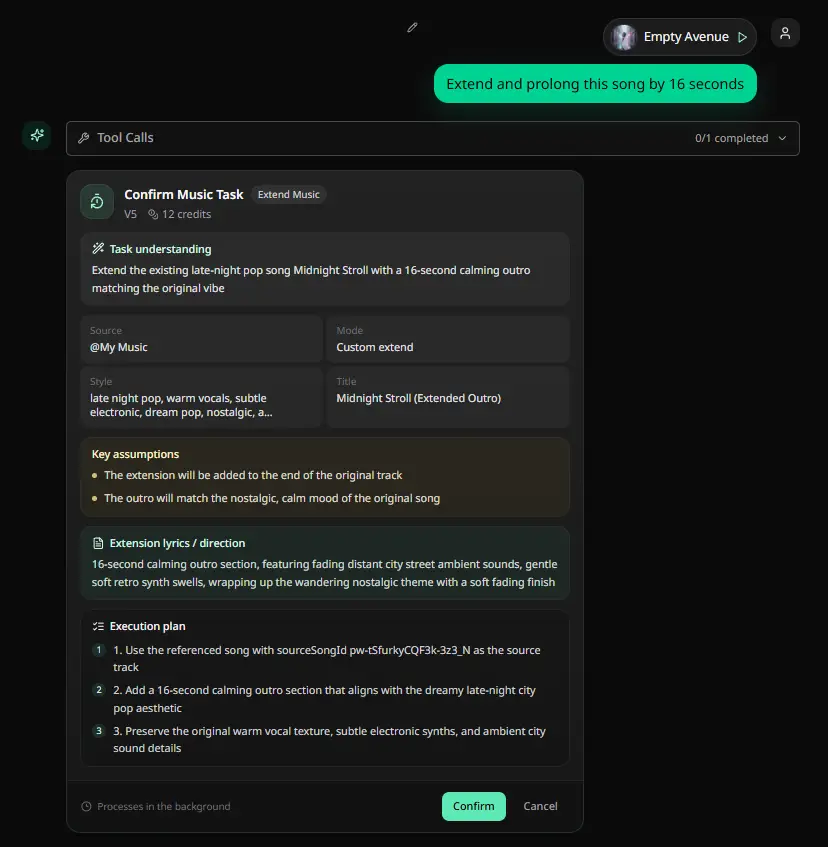
- Extend for continuations
- Cover for source-based cover workflows when rights are clear
- Add Tracks for adding musical layers
- Mashup for combining ideas
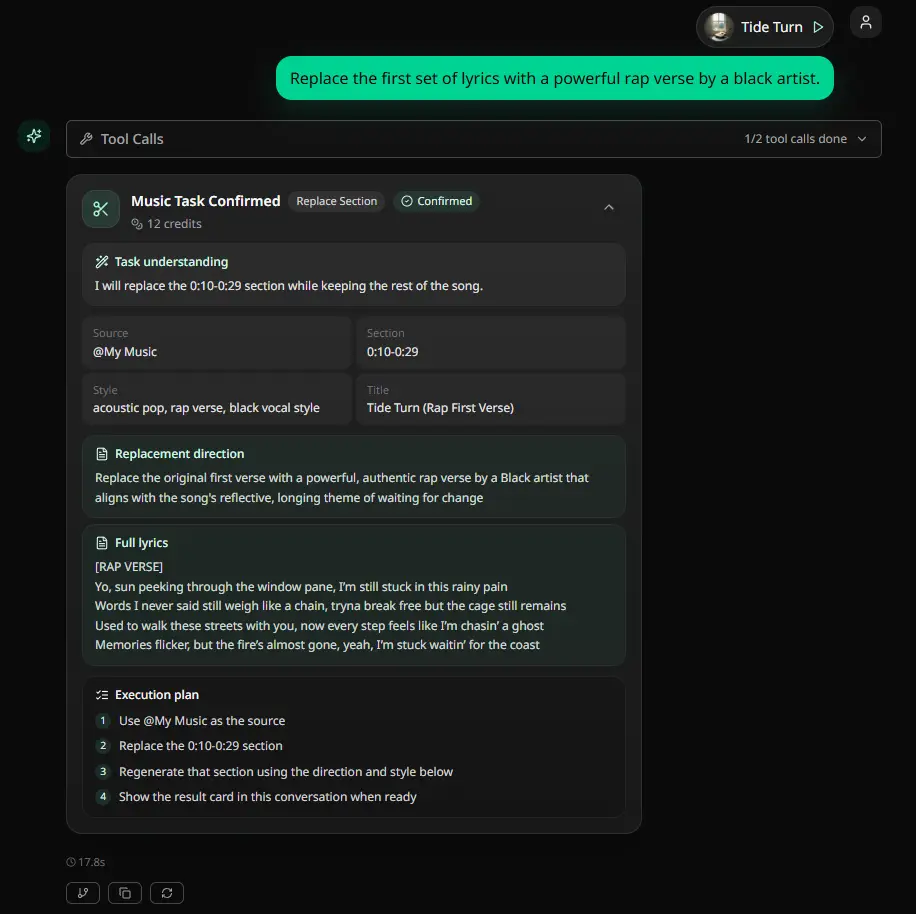
- Replace Section for targeted section changes
- Vocal Remover for supported separation workflows
- Explore, Listen, playlists, profiles, and My Works for discovery and library workflows
AIVA is strong as a composition and copyright-ownership product. MusicMake.ai is stronger when the user needs a coherent song workflow from idea to draft to revision to library and listening.
Pricing Is Not Just the Lowest Plan
AIVA wins several decision-shape cases:
- explicit copyright split by plan
- Pro full copyright ownership
- MIDI downloads
- composition-first workflow
- upload-influence support
- formal EULA clarity
- student/school and enterprise paths
MusicMake.ai's value is different:
- direct generator and Studio entry points
- lyrics and style prep before generation
- editing tools after generation
- public listening and discovery
- works/library management
- optional Agent guidance for next-step decisions
If the buyer wants full copyright ownership of AI compositions, AIVA Pro has a strong case. If the buyer wants the work around finishing songs to feel connected and music-first, MusicMake.ai is the better fit.
Pros and Cons
AIVA pros
- Clear AI composition assistant positioning.
- More than 250 styles according to the homepage.
- Free plan is transparent: no monetization, AIVA credit required, MP3 and MIDI downloads.
- Standard allows limited monetization on YouTube, Twitch, TikTok, and Instagram.
- Pro gives copyright ownership to the user.
- Pro upgrade language is unusually buyer-friendly: the help article says Pro ownership covers compositions created before and during the Pro subscription.
- Pro includes 300 downloads/month, high-quality WAV, and all file formats.
- EULA defines license types clearly.
AIVA watchouts
- Free and Standard copyright is owned by AIVA.
- Standard monetization is limited to listed platforms.
- Pro is the plan for full copyright ownership.
- Checked prices are annual-view Euro prices plus VAT; monthly prices were not visible in this public-page check.
- Uploading audio or MIDI influences grants AIVA a perpetual training license for that uploaded influence.
- Refunds are limited to cases where no premium features have been used, and forgotten cancellations are not refunded.
- Private API use, AI-training datasets, and large-scale music databases require separate agreements.
- AIVA account/composition limits matter for high-volume workflows.
- AIVA is less focused on lyrics-first vocal songs, community listening, and agent-guided song iteration than MusicMake.ai.
MusicMake.ai pros
- Direct AI music generator and Music Studio workflow alongside optional Agent guidance.
- Lyrics and style prep tools help users create stronger first prompts.
- Source-based editing tools support follow-up actions like extend, cover, add tracks, mashup, replace section, and vocal remover.
- Explore, Listen, playlists, profiles, and My Works make it a broader music product surface.
- Music Agent can turn vague creative feedback into a better prompt or next tool choice.
MusicMake.ai watchouts
- AIVA's Pro copyright positioning is strong, so MusicMake.ai is compared on workflow breadth rather than a simple legal-clarity claim.
- Users who primarily need MIDI composition and Pro copyright ownership may prefer AIVA.
- Users comparing price must account for currency, VAT, annual billing, rights, formats, and workflow differences.
- Source-based tools still require proper rights to uploaded audio, vocals, lyrics, stems, samples, or references.
When AIVA Fits Better
Choose AIVA when:
- you need composition-first AI music
- you want MIDI downloads
- you want explicit license types by plan
- you want Pro full copyright ownership
- you only need Standard-style monetization on YouTube, Twitch, TikTok, and Instagram
- you are comfortable with the upload-influence terms
- you are not looking for a broader lyrics/vocal/community/Agent workflow
For that buyer, AIVA may be the cleaner first choice.
When MusicMake.ai Fits Better
Choose MusicMake.ai when:
- you want direct generation plus a fuller music workspace
- you want lyrics and style prep before generating
- you want to revise, extend, cover, add tracks, mash up, replace sections, or remove vocals after generation
- you want Explore, Listen, playlists, profiles, and My Works around creation
- you want optional Music Agent help when the next step is unclear
- you care more about workflow continuity than composition copyright ownership alone
Start with Generate when your prompt is ready. Start with Music Agent when you know what feels wrong but need help deciding the next action.
FAQ
Is MusicMake.ai better than AIVA?
MusicMake.ai is better if you want a connected song workflow after generation: Studio, prep tools, editing tools, discovery, library, and optional Agent guidance. AIVA is better if your top priority is composition-first AI music with Pro full copyright ownership.
How much does AIVA cost?
On the annual-view pricing page checked on June 17, 2026, AIVA Free is €0, Standard Annually is €11/month plus VAT billed annually, and Pro Annually is €33/month plus VAT billed annually.
Who owns music generated with AIVA?
It depends on the plan. AIVA says Free and Standard compositions are copyright-owned by AIVA. Pro compositions are copyright-owned by the user.
Can AIVA music be used commercially?
Free is non-commercial. Standard allows limited monetization on YouTube, Twitch, TikTok, and Instagram. Pro is the plan for full copyright ownership and broader monetization under the plan's criteria.
What is the difference between AIVA Standard and Pro?
Standard keeps copyright with AIVA and allows limited monetization on listed platforms. Pro gives the user copyright ownership, full monetization, more downloads, longer duration, all file formats, and high-quality WAV exports.
Does AIVA refund paid subscriptions?
AIVA's EULA says customers are eligible for a refund only if they have not used any premium features of the paid plan. It also says forgetting to cancel or downgrade before renewal is not refunded.
What is the main difference between AIVA and MusicMake.ai?
AIVA is stronger for composition-first workflows, MIDI downloads, and explicit Pro copyright ownership. MusicMake.ai is stronger as a connected AI song workflow with direct generation, Studio, prep tools, editing tools, community/listening, works management, and optional Agent guidance.
الكاتب
المزيد من المقالات

AIMusicGen.ai vs MusicMake.ai
Compare AIMusicGen.ai and MusicMake.ai by free credits, annual pricing, one-time packs, commercial-license scope, tool breadth, and workflow.

AnyMusic.ai vs MusicMake.ai
Compare AnyMusic.ai and MusicMake.ai by model transparency, pricing, credits, packs, free plan, commercial rights, refund policy, and workflow.

ExtendMusic.AI vs MusicMake.ai
Compare ExtendMusic.AI and MusicMake.ai by music extension, source-audio upload, pricing visibility, legal transparency, editing tools, and creator workflow.