AI Beat صانع
اصنع رسومات إيقاعية أصلية مع توجيه النوع، الإيقاع، المزاج، وإشارات الإنتاج. Start free online with the focused MusicMake workflow.
أعمال نموذجية





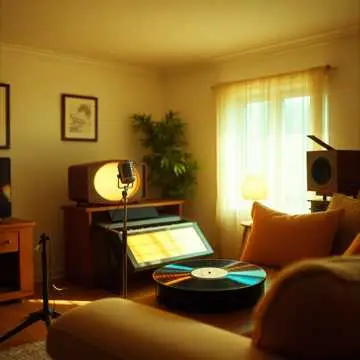






كيف يعمل AI Beat صانع
يجب أن تستجيب الصفحة المركزة على AI Beat صانع لنية البحث، وتعرض النموذج المناسب، وتتجنب الوعود التي تتجاوز قدرة المنتج الحالية.
ابدأ بالإدخال المناسب
استخدم هذه الصفحة عندما تتطابق مهمتك مع AI Beat صانع ثم ابدأ من النموذج أدناه.
استخدم سير العمل المناسب
تم تصميم النموذج في هذه الصفحة ليتوافق مع مهمة المستخدم بدلا من دفع كل نية بحث إلى مربع مطالبة موسيقية عام.
تابع باستخدام النتيجة
استخدم النتيجة كنقطة بداية ثم انتقل إلى أدوات MusicMake ذات الصلة عندما يستمر سير العمل.
ملاءمة سير العمل
أين يناسب AI Beat صانع
يساعدك AI Beat صانع على بدء سير العمل المناسب في MusicMake من أجل اصنع رسومات إيقاعية أصلية مع توجيه النوع، الإيقاع، المزاج، وإشارات الإنتاج. استخدم هذه الصفحة عندما تكون النية محددة بما يكفي ويكون المسار المركز أسرع من فتح مطالبة موسيقية فارغة.
الأفضل لـ
المبدعون الذين يحتاجون إلى أغنية أو اتجاه كلمات أو فكرة cover أو امتداد أو سير add-tracks انطلاقا من نقطة بداية واضحة.
ما الذي تحصل عليه
طلب إنشاء موسيقي أو مسودة أو مسار جاهز للتوليد يحافظ على الخطوة التالية قريبة من النية الأصلية.
استخدم أداة أخرى عندما
استخدم DAW كاملا أو أداة تحرير أعمق عندما تنتقل المهمة من الإنشاء الموجّه إلى ترتيب مفصل أو مزج أو إصلاح إنتاجي.
Make songs from an idea, not a DAW.
Prompt, generate, extend, and export in one workflow built for creators who need music fast.
AI Beat صانع -مصمم لمهمة واضحة واحدة
اصنع رسومات إيقاعية أصلية مع توجيه النوع، الإيقاع، المزاج، وإشارات الإنتاج. تحافظ هذه الصفحة على توافق النموذج والإرشاد والخطوات التالية مع هذا الهدف بالتحديد، بدلا من إرسال كل زائر إلى مربع مطالبة موسيقية عام.
عناصر تحكم مناسبة -ابدأ من الإدخال الصحيح
استخدم هذه الصفحة عندما تتطابق مهمتك مع AI Beat صانع ثم ابدأ من النموذج أدناه.
سير عمل المبدع -تابع بمخرجات قابلة للاستخدام
song ideas استخدم النتيجة كنقطة بداية ثم انتقل إلى أدوات MusicMake ذات الصلة عندما يستمر سير العمل.
AI Beat صانع FAQ
إجابات واضحة حول سير العمل والحدود والتصدير ومتى يجب استخدام أداة أخرى من MusicMake.
Is AI Beat صانع free to try?
What is AI Beat صانع best for?
What should I enter or upload for AI Beat صانع?
What can I do after using it?
What are the limits of this tool?
How do I get a better result?
Can I use the result in a real project?
لا تزال لديك أسئلة؟
Start AI Beat صانع Free Online
استخدم سير العمل المناسب من MusicMake ثم انتقل إلى أدوات التوليد أو التحرير أو التحليل المرتبطة عند الحاجة.
