AI Music Generation Tools 2026: Compare Generators, Agents, and Editors
Find the right AI music tool for songs, background tracks, edits, Music Agent workflows, chat-based creation, exports, and commercial-use checks.
Introduction: The AI Music Toolbox Has Split Into Workflows
AI music tools are no longer one category. Some products are optimized for fast prompt-to-song generation. Some are built for background loops. Some focus on scoring, stems, mastering, or distribution. A newer category is emerging around the Music Agent: a conversational workflow that can understand creative feedback, choose the right next tool, and help users revise a song instead of starting over.
This guide is written for practical selection, not for a frozen ranking. Pricing, plan names, model versions, credit rules, export formats, and license terms change often. Treat this as a workflow map, then verify the current details on each platform's pricing and terms pages before you commit a project budget or publish music commercially.
Quick Answer
Use a full-song generator when you need a first draft fast.
Use a background-music platform when you need safe, repeatable tracks for videos, streams, shops, apps, or ambience.
Use a scoring or orchestral tool when MIDI, notation, and scene-based composition matter.
Use stem, cover, extend, and arrangement tools when the first draft is close but not finished.
Use a Music Agent, Song Agent, Music GPT, or Music Chat workflow when your main problem is not "generate something once," but "help me turn feedback into the next correct action."
Where MusicMake.ai Fits Now
MusicMake.ai is no longer just another prompt-to-song tool. It now works as a web-based music creation workflow: start with Generate, refine direction with AI Lyrics and AI Style Generator, then keep editing with Cover, Extend, Add Tracks, Mashup, Replace Section, and Vocal Remover.
The newer layer is Music Agent. Instead of making beginners choose the right form manually, Music Agent lets them describe the goal and then routes the task toward the right tool. That is why MusicMake.ai is strongest when you need a full workflow after the first draft, not only a one-shot generator. For shipped changes, use the changelog as the source of truth.
This category is also searched as Song Agent, AI Song Agent, Music GPT, or Music Chat. In this guide, those terms mean a conversational music workflow connected to real actions: generating a song, rewriting a prompt, creating lyrics, choosing a style, making a cover, extending a track, adding tracks, replacing a section, separating supported stems, confirming credit-spending actions, and tracking results.
The important difference is not the chat box. The important difference is whether the assistant can help you move from "this is not right" to "this is what I meant" with fewer wasted attempts.
The Main AI Music Tool Categories
| Category | Typical Tools | Best For | What To Verify |
|---|---|---|---|
| Full-song generators | Suno, Udio, MusicMake.ai | Vocal songs, lyrics, demos, first drafts | Current model, duration, credits, exports, and commercial-use terms |
| Agent workflow | MusicMake.ai | Prompt repair, guided tool routing, revisions, covers, extensions, stem workflows | Which actions the agent can run, approval steps, credits, and plan rules |
| Background music | Mubert, Soundraw, Loudly, Beatoven.ai | Videos, podcasts, social content, live streams, app ambience | Download rights, platform coverage, project limits, and attribution rules |
| Scoring and orchestral | AIVA and similar tools | Film, games, classical arrangements, MIDI-oriented work | MIDI, score export, ownership terms, and plan restrictions |
| Production helpers | Stem, mastering, vocal, and DAW-oriented tools | Polishing, separating, arranging, and preparing files | Source rights, output formats, and commercial release constraints |
The category matters because it changes the evaluation criteria. A generator can sound impressive in a demo and still be weak for revision. A background tool can be excellent for a YouTube channel and still be a poor choice for a vocal song. A Music Agent can be less about one model output and more about reducing failed attempts across a multi-step workflow.
Full Song Generators
Suno
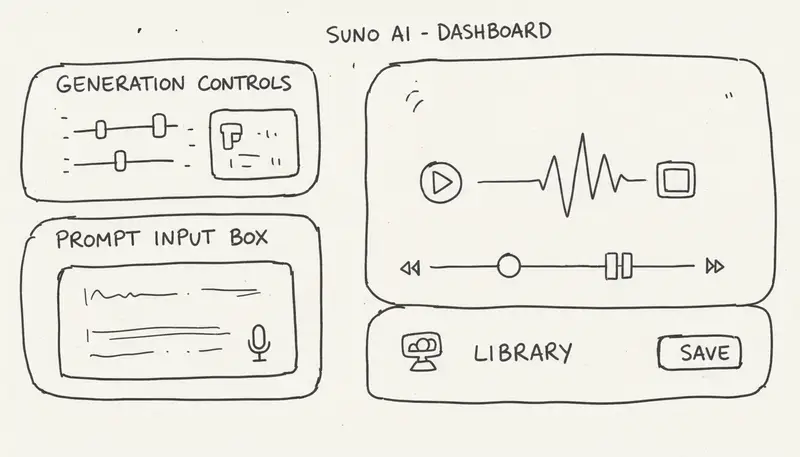
Suno is a common benchmark for lyric-led, vocal-forward song generation. It is useful when the creator wants to move from a text idea to a song draft quickly.
Best fit:
- Song demos with vocals
- Lyric experiments
- Social music concepts
- Fast ideation across styles
Watch-outs:
- Check current credits, duration limits, export formats, and plan rights.
- Do not assume old model names, old pricing, or old license rules are still current.
- Save generation records and receipts if you plan to publish commercially.
Udio
Udio is often evaluated by creators who care about production feel, vocals, and detailed style direction. It can be a strong option for high-polish experiments, but its current rights and plan details should always be checked directly.
Best fit:
- Higher-fidelity song experiments
- Vocal and arrangement exploration
- Style-sensitive production references
- Comparing multiple interpretations of the same creative brief
Watch-outs:
- Verify current terms before monetization.
- Avoid assuming that every output is unique or copyrightable in every jurisdiction.
- Keep your source material clean and licensed.
MusicMake.ai
MusicMake.ai is strongest when generation is only the first step. The product combines prompt-to-song generation with adjacent tools: lyrics, style direction, cover workflows, extension, add tracks, mashup, replace section, vocal removal, library iteration, and Music Agent.
Best fit:
- Beginners who need the next step explained in plain language
- Creators who keep revising the same song idea
- Users who know what sounds wrong but do not know how to rewrite the prompt
- Video, podcast, and social creators who need reusable versions and edits
- Workflows where the source audio is yours or properly licensed
Watch-outs:
- Check current pricing, plan credits, export rules, and commercial-use terms.
- Use changelog to confirm newly shipped features.
- For cover, mashup, stem, or replacement workflows, only use audio you own or are allowed to transform.
Background Music Specialists
Mubert
Mubert-style platforms are useful when the target is continuous, mood-based, or programmatic background music rather than a traditional song with verses and a chorus.
Best fit:
- Live streams
- Apps and games
- Focus music
- Shops, restaurants, and background ambience
- API-driven music experiences
Watch-outs:
- Verify whether the license covers your exact platform and setting.
- Check API, download, and attribution rules.
- Confirm whether music can be used in paid, client, or public venue projects.
Soundraw, Loudly, and Beatoven.ai
These tools are usually selected for creator-friendly background tracks, social videos, podcast beds, and scene-based scoring. They are often easier to fit into short-form production pipelines than full-song tools.
Best fit:
- YouTube intros and background beds
- Instagram, TikTok, and Shorts assets
- Podcast themes
- Advertising or explainer videos
- Scene-based scoring for simple edits
Watch-outs:
- Check whether downloads, edits, and monetized uploads are allowed on your plan.
- Review whether the license covers client work.
- Confirm whether there are track limits, project limits, or attribution requirements.
Scoring, Orchestral, And Production Tools
AIVA And Score-Oriented Tools
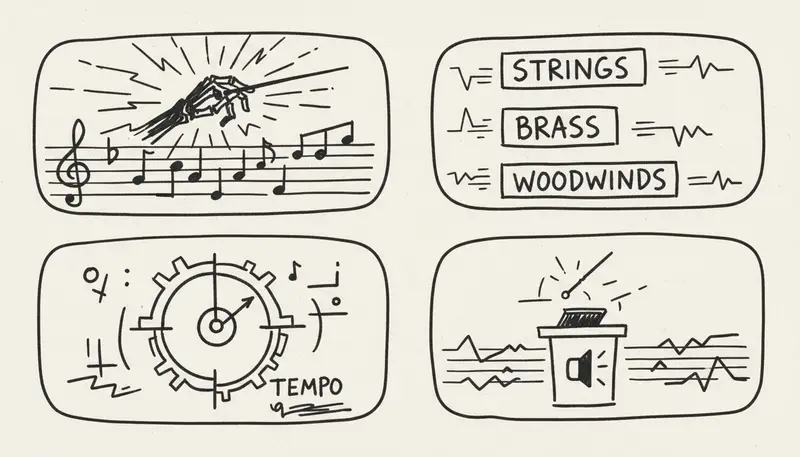
Score-oriented tools are useful when the output needs to behave more like a composition system than a prompt-to-song toy. They can matter for film, games, classical arrangements, education, and MIDI workflows.
Best fit:
- Orchestral sketches
- Film and game scoring
- MIDI-first arrangements
- Classical education
- Emotional underscore references
Watch-outs:
- Verify MIDI and notation export rules.
- Check whether the plan allows commercial client work.
- Do not assume that a tool optimized for score structure will also create modern vocal songs well.
Stem, Vocal, Mastering, And DAW Helpers
Many professional workflows combine AI music generation with specialized tools. A creator might generate a song idea, separate vocals, clean a stem, replace a section, master a file, and then finish the final arrangement in a DAW.
Best fit:
- Fixing a promising draft
- Preparing stems for editing
- Removing or isolating vocals
- Making alternate versions
- Polishing audio before publication
Watch-outs:
- Source rights matter. If you do not control the original audio, transformation tools can create legal and platform-policy risk.
- Export format matters. Check whether you can download WAV, MP3, stems, MIDI, or only a preview.
- AI mastering is not a substitute for human review on important releases.
Feature Comparison Without Fragile Scores
Workflow Notes
| Tool | Strongest Workflow | Good First Test | Details To Verify |
|---|---|---|---|
| Suno | Fast lyric-led song drafts | Generate 2 to 3 versions from the same lyric idea | Current credits, model, duration, export, and paid-plan terms |
| Udio | Production-feel song experiments | Compare detailed style prompts and vocal direction | Current credits, remix rules, export quality, and usage terms |
| MusicMake.ai | Multi-step creation and editing with Music Agent | Start with a weak draft, then revise through Agent, lyrics, style, cover, extend, or replace section | Current credits, tool availability, approval steps, exports, certificates, and commercial-use terms |
| Mubert | Background and programmatic music | Generate music for a stream, app, or ambient use case | API terms, download rules, venue/client coverage, and attribution |
| Soundraw/Loudly/Beatoven.ai | Creator background tracks and scene-based music | Create a track for a short video or podcast segment | Download limits, monetization rules, client use, and platform coverage |
| AIVA-style tools | Score and orchestral workflows | Export a MIDI or score-oriented sketch | MIDI, score, ownership, and commercial plan limits |
Why This Is Better Than A Static Ranking
Static "best AI music tool" rankings age badly because models, pricing, and licenses change quickly. A more reliable comparison asks:
- What are you making: a song, background bed, score, stem edit, cover, or revision?
- Do you need vocals, lyrics, instrumental music, MIDI, stems, or a finished master?
- Can you legally use all source material?
- Does the current plan allow your publishing and monetization path?
- Does the workflow help you revise, or only generate again?
MusicMake.ai is especially relevant to the fifth question. When the user feedback is simple, such as "it still has a beat," "make it simpler," or "only keep the guitar," the Music Agent workflow can help convert that feedback into a more precise next action.
Use Case Recommendations
YouTube Creator
Use MusicMake.ai if you want to generate, revise, extend, remove vocals, or create alternate versions in one workflow. Add a background-music specialist if you mainly need recurring instrumental beds.
Podcaster
Use background or scoring tools for intro, outro, transition, and ambient beds. Use MusicMake.ai when you want a branded theme and need to iterate on lyrics, style, or versions.
Indie Game Developer
Use score-oriented or background tools for loops and scene moods. Use MusicMake.ai when you need song-like assets, variations, or a conversational workflow to explore direction.
Music Producer
Use AI generators for references and draft material, then move into stems, DAW editing, mixing, and mastering. MusicMake.ai can be useful for prompt repair, cover experiments, extensions, replacement sections, and alternate ideas.
Marketer Or Social Creator
Use fast generation for ideas, but prioritize rights, platform compatibility, and repeatable workflow. A Music Chat or Song Agent workflow is useful when a campaign needs several versions of the same musical idea.
Commercial-Use Checklist
Before publishing or monetizing AI-generated music, verify:
- Current plan terms and whether commercial use is allowed.
- Whether the output can be downloaded in the format you need.
- Whether the license covers your platform, client, venue, or distribution channel.
- Whether source lyrics, vocals, samples, references, and uploaded audio are yours or properly licensed.
- Whether the platform provides generation records, receipts, certificates, or project history.
- Whether similar outputs can be generated for other users.
- Whether copyright registration is realistic in your jurisdiction.
For professional work, keep a small rights folder for each release: prompt, lyrics, source files, generation links, exported files, plan receipt, and any license or certificate records.
Frequently Asked Questions
Which AI music tool is best for beginners?
Choose the tool that reduces the most confusion in your workflow. If you only need a quick first draft, a prompt-to-song generator may be enough. If you need help deciding what to do after the first draft is wrong, MusicMake.ai's Music Agent workflow is a better fit.
What is the difference between Music Agent, Song Agent, Music GPT, and Music Chat?
They are related search phrases for conversational music creation. A useful version is not just a chatbot. It should understand feedback, rewrite prompts, choose tools, ask for confirmation before credit-spending actions, and help users continue from previous results.
Can I use AI music commercially?
Often yes, but only if the current plan terms and your source materials support that use. Verify the platform's latest terms before publishing, distributing, licensing, selling, or using music in client work.
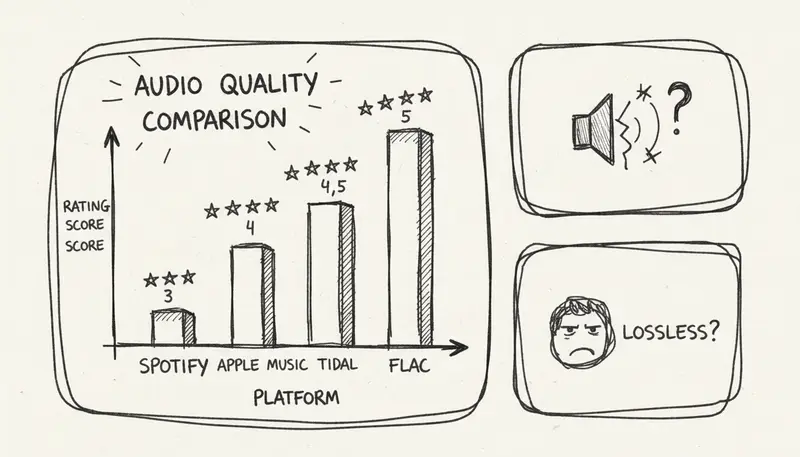
Which tool has the best audio quality?
There is no permanent answer. Quality depends on genre, prompt style, model version, export format, and the specific song. Test the same brief across multiple tools and judge with your target use case in mind.
Do I need music theory knowledge?
No, but some language helps. Terms like tempo, arrangement, instrumentation, dynamics, mood, structure, and reference use can improve results. A Music Agent can reduce this burden by translating plain feedback into clearer musical instructions.
Conclusion: Pick A Workflow, Not A Logo
The best AI music tool in 2026 depends on the job:
- Use prompt-to-song tools for fast drafts.
- Use background tools for repeatable creator music.
- Use scoring tools when MIDI, notation, or orchestral structure matters.
- Use production helpers for stems, cleanup, mastering, and DAW work.
- Use MusicMake.ai when you want a Music Agent, Song Agent, Music GPT-style, or Music Chat-style workflow that helps you revise and continue.
If you are starting from scratch, begin with MusicMake.ai Generate. If your first result is close but not right, continue through Music Agent or the specific editing tools instead of burning credits on the same unchanged prompt.
ผู้เขียน

หมวดหมู่
โพสต์เพิ่มเติม

MusicMake.ai Mobile Update: Create Music From Your Phone Like an App
MusicMake.ai now gives creators a complete mobile flow for listening, generating, refining with Music Agent, opening tools, and managing songs from a phone.

AI Songwriting Guide: How to Write Songs with AI in 2026
Learn how to use AI songwriting tools to write better songs faster. Step-by-step guide covering lyrics, melody, arrangement, and production with AI assistance.

how to become a music producer with ai tools - MusicMake.ai Guide
Learn about how to become a music producer with ai tools with this comprehensive guide from MusicMake.ai.
