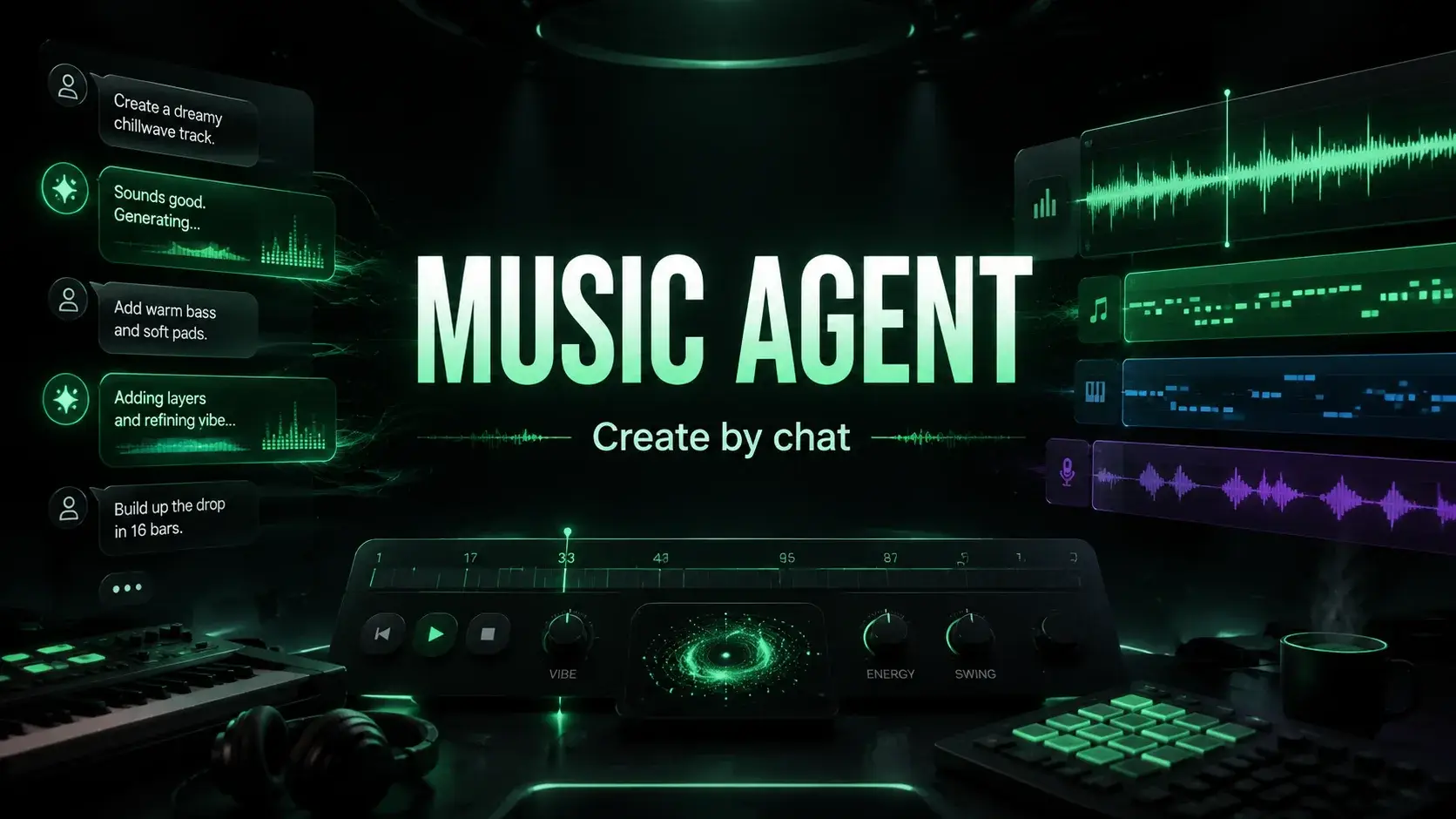
Why We Built Music Agent: From Lackluster Prompt to Superior Results
Learn why we built the AI music agent Music Agent for creators who can hear flaws in their songs but aren't sure how to choose the next optimization step.
Most AI music generation tools can help you easily produce a first draft, but they often fail to make second-round revisions simpler.
It was this pain point that drove us to build Music Agent.
The pain of AI music creation is not just about writing the initial prompt, but more about knowing something is wrong after generation without knowing how to turn that feeling into a better prompt. Users might say "still has a beat" or "simplify it", but most generation tools still require users to rewrite a full prompt with proper structure, constraints, and negative qualifiers.
Music Agent was built precisely to fill that gap.
Music Agent, Song Agent, Music GPT, and Music Chat
People have different names for this new category:
- Music Agent: An assistant that understands music creation goals, selects the right tools, and drives the creative process forward.
- Song Agent or AI Song Agent: An agent focused on songwriting that helps generate, modify, extend, or edit tracks.
- Music GPT: A conversational music assistant, but only effective when connected to real music tools.
- Music Chat: A chat interface where users describe creative goals, feedback, and revision needs in natural language.
All these terms point to the same user need: creators want more than just a text input box; they want a complete system that understands songwriting issues, rewrites prompt, asks for user confirmation, invokes the right tools, tracks generation results, and suggests next steps.
That's why we named our product "Music Agent". It's not just a music chatbot, but a complete music creation workflow.
The real pain point: users know the direction of their feedback but don't know how to rewrite the prompt.
We once saw a creator who wanted to make a very simple piece: a quiet acoustic guitar instrumental with no beat.
He clearly described the initial prompt in everyday language:
A gentle acoustic folk piece with soft fingerpicked guitar, perfect for a quiet morning in a sunlit bedroom, creating a calm and peaceful atmosphere with a slow, soothing tempo, no vocals and no other instruments. No solo, no beat, without any beat, don't add beatsBut the generated result still added a rhythmic beat:
Listen to the first generation result
What was frustrating wasn't that the generation didn't meet expectations—that's normal for creative AI. What was truly maddening was what happened next: the creator submitted nearly identical prompt over and over, hoping the model would randomly generate something that fit. In the end, he ran out of credits and still didn't get the piece he wanted.
That's the limitation of ordinary AI music generation tools.
The creator knew the direction he wanted to adjust:
- Still has a beat
- Simplify it more
- Keep only the guitar part
- Don't add any other instruments
But he didn't know how to restructure prompt to achieve those adjustments.
A viable solution: turn feedback into constraints.
Later we followed that approach and rewrote the prompt with stricter musical constraints:
Instrumental acoustic folk music, slow tempo (60-70 BPM), soft fingerpicked acoustic guitar as the ONLY instrument.

Calm, peaceful, intimate atmosphere, like a quiet morning in a sunlit bedroom. Minimal, sparse arrangement, very gentle dynamics.

STRICT CONSTRAINTS:
- No drums
- No percussion
- No beat
- No rhythm section
- No bass
- No background instruments
- No vocals
- No solo sections
- No additional layers

The music should feel free-flowing and natural, without any rhythmic drive or beat. Focus only on soft fingerpicking guitar and ambient space.
This time the generation was much better:
Listen to the optimized result
The lesson is clear: AI models need to understand the user's creative intent and then convert that intent into music generation prompt that includes hierarchical structure, positive guidance, and explicit exclusion criteria.
Most users don't need to learn these things at all.
This is the real job of Music Agent.
The value of Music Agent is not that it allows you to "converse with AI."
Its real value is helping you shift from this state:
"This doesn't sound right."
to:
"Here's a clearer prompt, a safer approach, and the next music tool you can use."
Without forcing users to understand the engineering logic of prompt, Music Agent allows them to describe feedback in a natural way:
It still has a beat.
Make it simpler.
Only keep the guitar.
Don't add any other instruments.
Building on that, the smart assistant generates more refined instructions, displays a confirmation card before execution, and helps users decide whether to generate a new version, edit the existing song, or try another tool.
This reduces wasted credits, and more importantly, eases creative frustration.
Why a Form Generator Isn't Enough
We still believe that direct form tools are necessary. MusicMake.ai has dedicated pages for Generate, AI Lyrics Generator, AI Music Style Generator, Vocal Cover, Song Extension, Add Tracks, Song Mashup, Replace Section, and Vocal Separation.
When users already have a specific task in mind, form tools are more efficient.
When the user only knows their goal or the problem they're facing, Music Agent's advantage becomes clear:
| User Query | Smart Assistant Can Guide To |
|---|---|
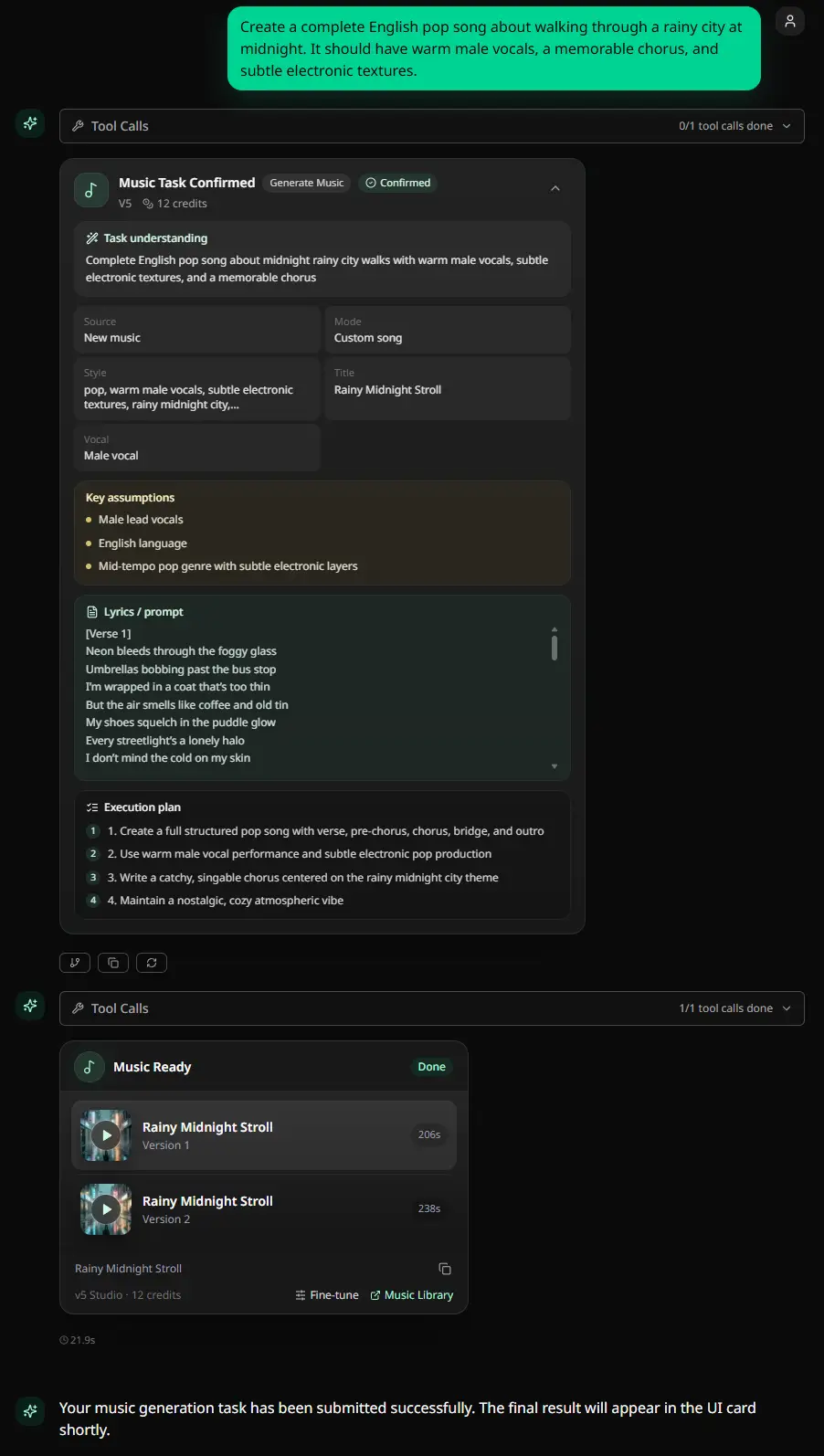
| "Create a complete English pop song with a warm male voice" | Generate |
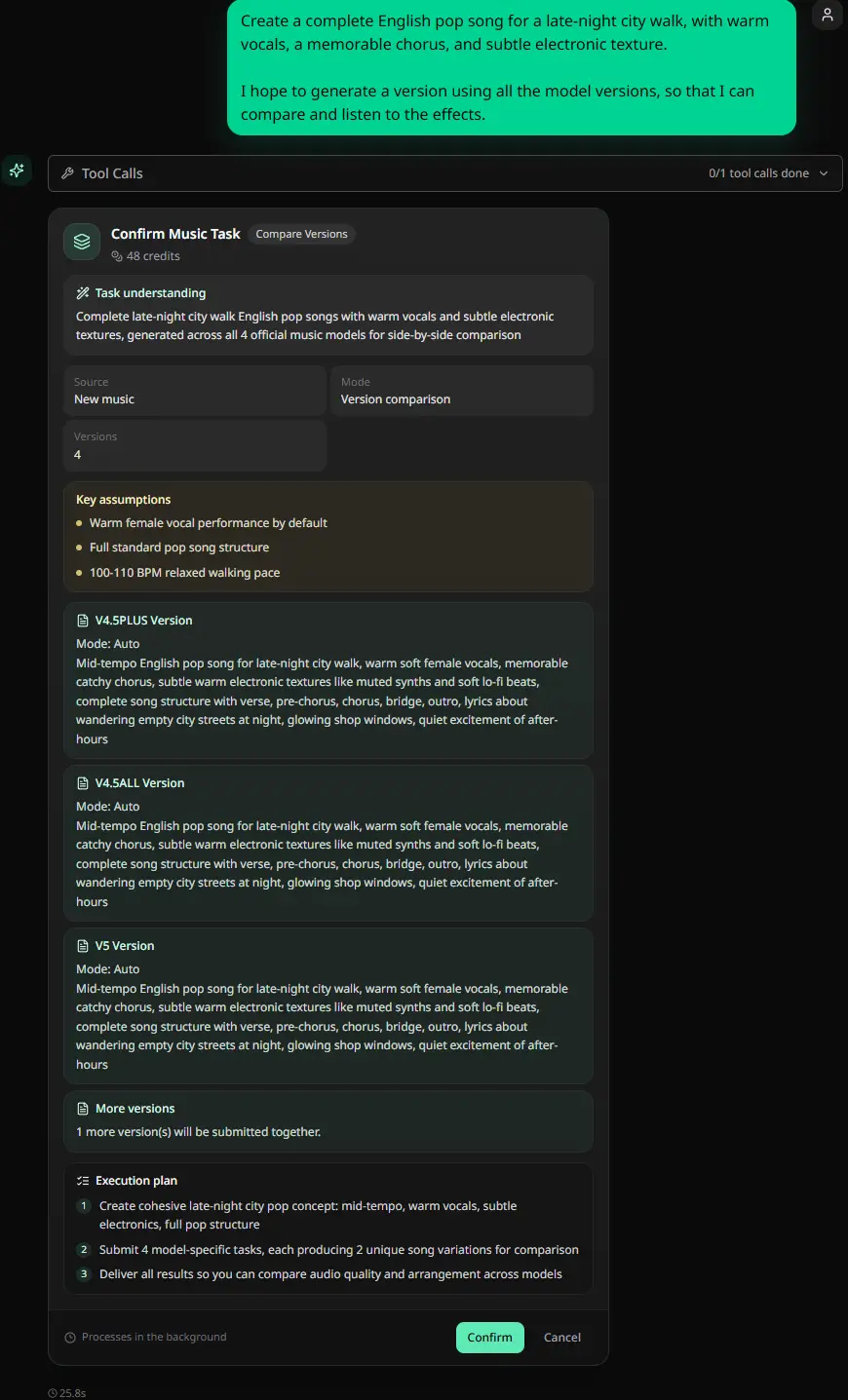
| "Give me two creative directions to compare" | Batch Generation |
| "Change this song to a male cover version" | Vocal Cover |
| "Add suitable accompaniment to this vocal" | Add Track |
| "Continue creating from the end of the song" | Song Extension |
| "Replace 0:42 with 1:05 and add a more outstanding chorus" | Replace Segment |
| "Remove vocals, keep the accompaniment track" | Vocal Separation |
| "This result still has a beat" | Prompt rewrite or regenerate solution |
This is also why we call MusicMake.ai a workflow, rather than just a prompt toolbox.
What Music Agent does before executing a task
One of the lessons from developing AI music tools is that users need to take the initiative before spending credits.
Music Agent tasks show a confirmation card before execution. The card displays the parsed request content, source audio, mode, prompt or lyrics, genre direction, duration, and available execution plans. Recent updates also make these confirmation cards editable, allowing users to adjust draft content before confirming, without needing to cancel and start over.
This is crucial, because music creation tasks aren't ordinary chat replies. They consume credits, may use uploaded or referenced audio, and often take time to complete.
An intelligent assistant shouldn't hide these decision details.
What happens after a task is launched
Music Agent continues running even after submitting a task. In the Music Agent 2.5 update, we added result monitoring: the agent continuously tracks the music task until it reaches a genuine completed state, can identify recoverable failures like missing parameters or source audio conflicts, and guides the user through the next steps instead of leaving them to troubleshoot.
This is also part of our product philosophy.
Users don't need to understand every provider's error rules, prompt terms of service, credit policies, or editing modes. This product turns these complex details into clear next-step guidance.
Why this helps GEO and real users
Search engines and AI answer engines are increasingly good at spotting thin product pages. Descriptions like "powerful AI music generator" alone don't constitute valuable content.
Valuable content should be specific:
- A user needs an acoustic guitar track without a beat.
- The first generation with prompt seemed reasonable, but ultimately failed.
- Repeating the same prompt would only waste credits.
- A restructured rewrite prompt works much better.
- Music Agent was designed so that this kind of rewrite optimization can happen within the product.
These real product experiences are worth sharing because they answer genuine user questions:
If I already have an AI music generator, why do I still need a music agent?
Because generation is only the first step. The real challenge is iterating and improving the output based on feedback.
When to use Music Agent vs. direct tools
Use direct tools when you know exactly which action to take:
- Generate: Generate entirely new songs or instrumental pieces
- Cover: Make a cover version based on source audio you own or have rights to
- Song Extend: Add subsequent sections to an existing song
- Add Tracks: Add accompaniment or vocals to a piece
- Replace Section: Precisely modify a specific part of a song
- Vocal Remover: Extract vocals, accompaniment, or stem files from supported works
Use Music Agent when you're unsure which tool to use, need to compare multiple versions, or prefer to express your revision needs conversationally rather than writing prompts.
Related reading
- Need AI Music Agent? The best Suno alternative
- MusicMake.ai is better than Suno for multi-step song editing
Frequently asked questions
Is Music Agent just a music chatbot?
Not exactly. The chat interface is just the entry point. The real value lies in tool routing, prompt rewriting, task confirmation, result tracking, and smart next-step suggestions.
Can Music Agent guarantee perfect results every time?
No. AI music generation is inherently probabilistic. Music Agent reduces wasted retries by turning vague feedback into clear instructions and streamlining the creative workflow.
Can Music Agent edit existing songs?
Yes, depending on the source material and your subscription. You can use MusicMake.ai first song or uploaded audio to create covers, extend duration, add tracks, remix, replace sections, and separate stems. Only use audio you own or have permission to use.
Why not just use prompt's enhancement tool instead?
The prompt enhancement tool only works pre-generation. Music Agent, on the other hand, supports the full creative loop: draft, feedback, prompt rewriting, tool selection, confirmation, generation status, and next steps.
Where can I find the latest Music Agent updates?
Check the MusicMake.ai Changelog. Music Agent has seen frequent updates, including clearer confirmation cards, result monitoring, smart next steps, editable approval cards, and the Agent Pro feature.
Try it now
If the output isn't what you expected, don't keep using the same prompt.
Open Music Agent and explain the problem:
It still has a beat. Make it simpler and only keep soft fingerpicked acoustic guitar.That's exactly the full creative loop we designed Music Agent for.
Music generated with MusicMake.ai is safe for commercial use. Earn free credits by checking in daily and start creating with ease.
Autor

Więcej postów

MusicMake.ai Mobile Update: Create Music From Your Phone Like an App
MusicMake.ai now gives creators a complete mobile flow for listening, generating, refining with Music Agent, opening tools, and managing songs from a phone.

AI Songwriting Guide: How to Write Songs with AI in 2026
Learn how to use AI songwriting tools to write better songs faster. Step-by-step guide covering lyrics, melody, arrangement, and production with AI assistance.

how to become a music producer with ai tools - MusicMake.ai Guide
Learn about how to become a music producer with ai tools with this comprehensive guide from MusicMake.ai.
