Best AI Music Generator For Beginners 2026: Choose The Right Workflow
Find the best AI music generator for beginners with Music Agent guidance, first drafts, prompt repair, editing tools, exports, and commercial checks.
Short Answer
The best AI music generator for beginners is the one that helps after the first draft.
Most tools can generate a song from a prompt. Beginners usually get stuck when the result is close but wrong:
- the chorus is weak
- the beat is too strong
- the style is wrong
- the ending is too short
- the vocal is not right
- the user does not know which tool to use next
That is why MusicMake.ai is strongest for beginners as a workflow, not only as a generator. Music Agent can help translate plain feedback into the next action.
A Better Beginner Test
Do not choose a beginner tool by a star rating. Test four things:
- Can you create a first draft without confusion?
- Can you explain what is wrong in normal language?
- Can the product help you choose the next tool?
- Can you save versions and records before publishing?
If the answer stops at the first draft, the tool may be easy to start but hard to finish with.
Why MusicMake.ai Fits Beginners
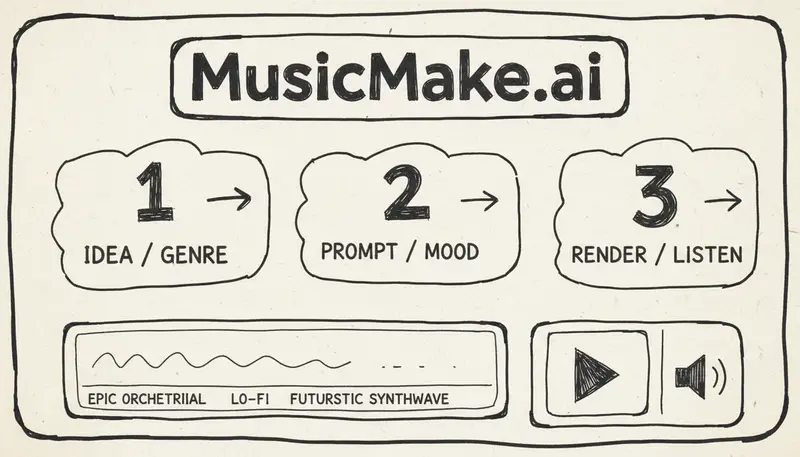
MusicMake.ai includes direct tools:
- Generate
- AI Lyrics
- AI Style Generator
- Cover
- Extend
- Add Tracks
- Mashup
- Replace Section
- Vocal Remover
- Music Agent
Beginners can use direct forms when they know what they want, or Music Agent when they do not know which form to open.
This is also the idea behind Song Agent, AI Song Agent, Music GPT, and Music Chat search intent. A useful assistant should connect the conversation to actual music tools.
For current product changes, check the changelog.
Beginner Workflow
Step 1: Start With A Simple Goal
I need a calm acoustic background track for a morning vlog.
No vocals, no drums, soft guitar, slow tempo.
Step 2: Generate A First Draft
Use Generate or Music Agent.
Step 3: Listen For One Main Problem
Do not list everything at once. Pick the main issue:
- too busy
- wrong mood
- still has drums
- vocal unclear
- ending too short
- chorus weak
Step 4: Give Direct Feedback
It still has a beat. Remove drums, percussion, bass, and rhythm section.
Only keep soft fingerpicked acoustic guitar.
Step 5: Let The Workflow Choose The Next Tool
Music Agent can help decide whether to rewrite the prompt, extend, replace a section, add tracks, cover, or separate vocals.
Prompt Levels For Beginners
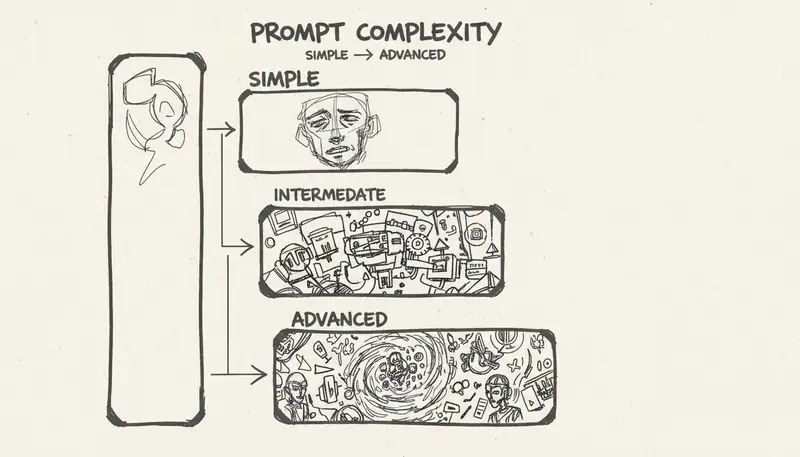
Level 1: Simple
Happy pop song about summer.Level 2: Useful
Upbeat pop song about a summer night with friends.
Clear vocal, bright chorus, clean guitar, soft synths, light drums.
Level 3: Controlled
Upbeat modern pop song, clear vocal, bright chorus, clean guitar, soft synths, light drums, warm bass.
Structure: verse, pre-chorus, chorus, verse, chorus, bridge, final chorus.
Avoid: rap verse, EDM drop, heavy distortion, dramatic trailer build.
Level 4: Strict Constraint
Instrumental acoustic folk music, slow tempo, soft fingerpicked acoustic guitar as the only instrument.
Calm, intimate, sparse, and quiet.
No drums, no percussion, no beat, no bass, no vocals, no extra instruments.
The more specific your constraints, the easier it is to diagnose what went wrong.
Beginner-Friendly Tool Categories
| Category | Best For | Beginner Watch-Out |
|---|---|---|
| Prompt-to-song generators | Fast first drafts | Users may keep retrying the same prompt |
| Music Agent workflow | Choosing the next step | Best when you describe the problem clearly |
| Lyrics tools | Songwriting structure | AI lyrics still need human editing |
| Style tools | Better genre language | Avoid copying specific artists |
| Cover and source-audio tools | Transforming material you control | Source rights matter |
| Stem and vocal tools | Editing and remix planning | Separation can create artifacts |
Suno, Udio, Mureka, Boomy, AIVA, background-music tools, and MusicMake.ai can all be useful depending on the job. For beginners, the biggest differentiator is guidance after the first output.
A 7-Day Learning Path
Day 1: Generate Anything
Create a few drafts. Do not worry about quality yet.
Day 2: Change One Variable
Try the same idea with different tempo, mood, or instruments.
Day 3: Learn Negative Constraints
Practice prompts with "no drums," "no vocals," "no beat," or "only guitar."
Day 4: Use Lyrics And Style Tools
Improve the input before generating.
Day 5: Use Music Agent For Feedback
Give the agent a failed result and explain what is wrong.
Day 6: Make Versions
Create a short version, longer ending, instrumental, or alternate chorus.
Day 7: Save Records
Save prompts, exports, source files, plan information, and project notes.
Commercial Use For Beginners
Before using a beginner-generated track publicly:
- Check current plan terms.
- Save the generation record.
- Confirm source audio is yours or licensed.
- Avoid copying lyrics, melody, or artist identity.
- Check platform policies.
- Keep exports and receipts.
Starter access is good for learning. Commercial projects need current plan coverage and clean records.
FAQ
What is the easiest AI music generator for beginners?
The easiest tool is the one that helps you continue after the first draft. MusicMake.ai is beginner-friendly because it combines direct forms with Music Agent guidance.
Do I need music experience?
No. You need clear goals, simple constraints, and the ability to describe what sounds wrong.
What is Music GPT?
It is a search phrase for conversational music creation. A useful version should connect chat to generation and editing tools.
Can beginners make commercial music?
Possibly, but only if the current plan terms, source rights, and platform policies allow the use.
Conclusion
Beginners do not need the longest feature list. They need a workflow that helps them move from first draft to usable result.
MusicMake.ai is built around that path: generate, listen, explain what is wrong, and let Music Agent guide the next step.
Penulis

Postingan Lainnya

MusicMake.ai Mobile Update: Create Music From Your Phone Like an App
MusicMake.ai now gives creators a complete mobile flow for listening, generating, refining with Music Agent, opening tools, and managing songs from a phone.

AI Songwriting Guide: How to Write Songs with AI in 2026
Learn how to use AI songwriting tools to write better songs faster. Step-by-step guide covering lyrics, melody, arrangement, and production with AI assistance.

how to become a music producer with ai tools - MusicMake.ai Guide
Learn about how to become a music producer with ai tools with this comprehensive guide from MusicMake.ai.
