Udio 2026 Terms of Service: Commercial Use, Ownership & Rights Checklist
Review Udio's terms of service with a creator checklist covering commercial use, ownership, output similarity risks, source material rights, and compliant AI music release.
Introduction: Always check the latest effective terms, not an outdated summary
If you plan to publish, monetize, license, or deliver Udio-generated music to clients, the safest starting point isn't a blog post summary table—it's Udio's live legal terms and pricing pages.
Use this article as a practical reading checklist, then verify the current official documents:
Udio Terms of Service Udio Pricing PlansAI music terms change frequently. Plan names, commercial use rights, credit systems, attribution rules, export formats, and restrictions may shift at any time—and old blog posts aren't updated to reflect those changes.
Checked on June 15, 2026: Udio's terms page was last revised on November 12, 2025, and the public pricing page open in Chrome browser shows Free, Standard, and Pro plans. This guide still relies on real-time rights and pricing, but the verified plan data below serves as a snapshot of what was current at the time of writing.
Key current finding: The verified Udio terms are restrictive. They state that users may only download or distribute generated works as permitted by the service, explicitly assign ownership of generated works to Udio and/or its licensors, and default to personal non-commercial use only. Do not treat Udio as granting broad commercial ownership rights without reviewing the real-time account flow and terms for your specific use case.
This article does not constitute legal advice.
Brief Summary
Before using Udio-generated music commercially, confirm these five points:
- Your current plan supports that use case.
- That specific generation was created under that plan, or falls under coverage of the current terms.
- All source material — lyrics, vocals, references, samples, and uploaded content — is owned by you or properly licensed.
- The current account flow allows the file download, publication, platform upload, or delivery to clients you're planning.
- You understand the limitations around content similarity, non-exclusivity, and copyright registration.
If any of these points are unclear, don't rely on screenshots, social posts, or outdated comparison tables. Before distributing content, save the official terms page, plan receipts, project records, prompt-related files, lyrics, source files, and exported audio files.
Practical Conclusion
If you like Udio's generation style, it can be a solid first-gen tool. But if you're planning a monetized release, client work, paid ads, streaming distribution, or stock library delivery, don't treat "Made with Udio" as proof of full rights clearance.
For commercial projects, a safer workflow:
| Decision Scenario | Suggested Action |
|---|---|
| Just testing | Use Udio to test style, structure, and sound, but don't treat test outputs as sellable assets. |
| Need to publish or monetize | Check Udio's live terms and pricing for rules on the specific plan, generation, attribution requirements, downloading, distribution, and commercial use. |
| Uploaded lyrics, vocals, stems, or references | Keep proof of your rights to these input materials before releasing the final output. |
| Need to deliver revisions to clients | When a project requires follow-up work, source-based editing, alternative versions, or clearer project records, consider a workflow tool like Music Agent. |
| Need a simple cost comparison | Don't compare only monthly price—also compare export rights, retry cost, source audio usage rules, attribution requirements, impact of cancellation, and revision tool features. |
The user-facing takeaway is simple: choose Udio if you primarily want to experience its generation style; choose MusicMake.ai if commercial value depends on guided revision, tool routing, source-based follow-up editing, and project record management.
What to check in Udio's terms
1. License to Use Generated Works
Look for clauses that explain what rights users have over generated works. Key questions include:
- Can generated works be used for personal purposes?
- Can they be used for commercial purposes?
- Does this permission depend on the subscription plan tier?
- Does this permission apply to works generated during the subscription, after cancellation, or only while the subscription is active?
- Is attribution, disclosure, or platform source labeling required?
In a review as of June 15, 2026, Udio's terms of service included restrictive provisions on downloading, copying, publishing, distributing, and commercial use of generated works, unless such use complies with the terms of service and service processes. The terms also state that Udio and/or its licensors own the generated works, and users may only use generated works for personal and non-commercial purposes while following relevant regulations and providing attribution. This means we cannot readily conclude that "music generated by Udio belongs to you for commercial use." The prudent approach is to verify the current plan, account process, and allowed usage scope of generated works before publishing.
2. Ownership Clause Statements
While "ownership" sounds simple, the rights attribution of AI-generated music works is often more complex. Carefully check whether the terms involve rights transfer, licensing, user uploaded content, generated works, platform rights, or related restrictions.
Key questions include:
- Does the platform claim rights over generated works?
- Do users receive a license to use or a transfer of ownership?
- Is the grant exclusive or non-exclusive?
- Can the platform generate identical or similar works for other users?
- Can you sublicense, transfer, sell, or deliver the track to a client?
In the Udio terms of service we reviewed, Section 6.1 clearly states that Udio and/or its licensors own the service and generated works, while Section 6.3 stipulates that users may only use generated works for personal and non-commercial purposes without downloading copies from the app. This is a clear risk point for client delivery or commercial use, not a vague "please read the terms carefully" note.
When taking on client projects, don't settle for just a "commercial use allowed" clause. When delivering works to clients, you typically also need to consider rights transferability, warranty terms, liability, and whether the client needs an exclusive license.
3. Similar Generated Works Issue
Most AI systems can generate similar works for different users. This is important to note for the following reasons:
- You may not be able to promise exclusivity of the work to a client.
- Other users may also generate similar melodies, arrangements, or sonic textures.
- Similarity alone does not necessarily constitute infringement, but it can pose commercial risks.
- Streaming platforms, music libraries, and brand clients may require proof of the work's origin.
If your project requires exclusive licensing, you can use AI-generated content as a draft source, then proceed with manual composition, editing, arrangement, recording, and retain related documentation.
4. Source Material and Uploaded Content
Your prompt is not the only lawful input material. Carefully read the relevant rules below:
- Uploaded audio files
- Lyrics
- Artist Style Reference
- Sample Material
- Vocal Material
- User-Uploaded Images or Metadata
- Public Sharing
If you upload third-party songs, vocals, sample material, or lyrics that you do not have the right to control, the platform's license for generated content does not automatically resolve the underlying copyright issues.
Commercial Use Checklist
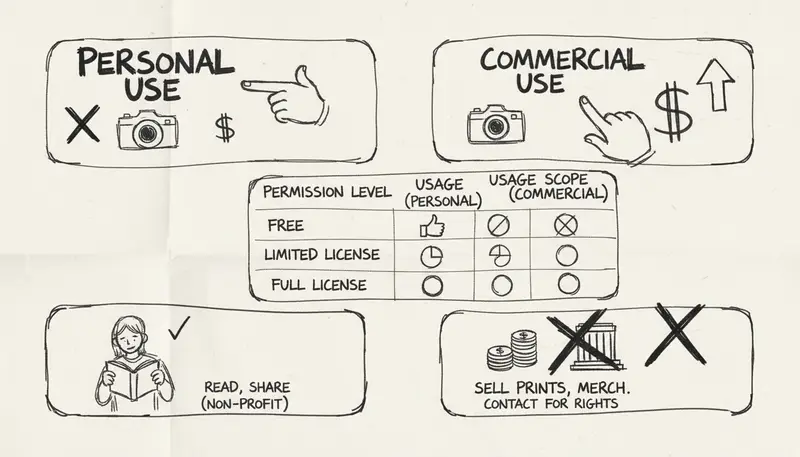
Before publishing for profit, use this checklist:
| Question | Importance |
|---|---|
| What plan was used to generate the content? | Commercial use rights may depend on the plan level. |
| What is the intended use? | Risks differ across scenarios such as YouTube monetization, ad campaigns, games, film/TV, streaming, client projects, and licensing libraries. |
| Have you uploaded any source material? | Uploaded audio, samples, vocals, or lyrics must be material you have the right to control or have obtained authorization for. |
| Can similar content be generated? | You may not be able to guarantee exclusivity of the content. |
| Does the platform require attribution or disclosure? | Some use cases require attribution or compliance with platform-specific requirements. |
| Can you export the required format? | Professional delivery may require WAV format, stems, or project files. |
| Can you retain creation history? | Records help with client and distributor requests as well as copyright disputes. |
For professional projects, create a copyright folder for each track containing prompt, lyrics, date, source files, generation link, exported audio, plan order receipt, terms snapshot, and correspondence with clients or distributors.
Pricing, Credits, and Download Permissions
Before making a purchase decision, check Udio's pricing page directly. In a Chrome review on June 15, 2026, the official pricing page loaded with the title Udio Pricing - Flexible Plans for AI Music Creation and displayed the following:
| Udio Plan | Verified Price | Credits & Usage Limits |
|---|---|---|
| Free | $0/month | 10 credits/day; 100 credits/month; credits do not roll over; generate up to 4 tracks at once; up to 3 full 2:10 works per day. |
| Standard Monthly | $10/month | 2400 credits/month; credits do not roll over; generate up to 6 tracks at once. |
| Standard Annual | $8/month, billed $96 annually | Same credit pool and paid features as Standard Monthly, at a discounted annual price. |
| Pro Monthly | $30/month | 6000 credits/month; credits do not roll over; generate up to 10 tracks at once. |
| Pro Annual | $24/month, billed $288 annually | Same Pro-level credit pool and paid features as Pro Monthly, at a discounted annual price. |
| Extra Credits | 100 credits for $3.00; 1000 credits for $25.00 | Available for separate purchase when credits run out. |
The pricing page also states that the Standard plan's 2400 monthly credits and the removal of the free plan's 2-minute per track generation limit are not included in the free trial, so do not equate the free trial with the paid Standard plan.
For users, the actual comparison is still clear:
| Pricing Questions | Why It Matters |
|---|---|
| How many generations or credits does the plan include? | Retry costs affect the actual price of usable final outputs. |
| What output file formats can be downloaded? | Clients, video editors, or distributors may need local files, not just in-app share links. |
| Are WAV, stems, or higher-quality exports included? | Professional delivery typically needs more than compressed preview files. |
| Does commercial licensing depend on the current plan? | The plan rules in effect at generation time can affect final rights. |
| Does canceling the subscription affect usage rights to generated works? | Long-term client projects need assurance that usage records and rights persist after subscription changes. |
| Do attribution or disclosure requirements differ across plans? | When publishing works publicly, you may need to add attribution or comply with platform-specific labeling requirements. |
Don't choose an AI music generation plan just because the upfront price is lower. Pick a plan that covers the output formats, usage rights, revision limits, and documentation your project needs.
Use Cases and Evaluation Approach
YouTube and Social Media Platforms
Make sure your plan supports monetized uploads, sponsored content, paid promotions, and platform-specific use cases. Non-commercial personal uploads have different requirements than brand ads or creator fund incentive videos.
Streaming Distribution
Before uploading AI-generated songs to Spotify, Apple Music, YouTube Music, or other digital service providers (DSPs), confirm the following:
- The platform's terms allow the type of release you are submitting.
- The distributor's current policy permits AI-generated music.
- You are not falsely claiming authorship or concealing required disclosure information.
- You can handle Content ID or copyright inquiries.
Client Commissioned Projects
Client commissioned projects have higher requirements than personal commercial use. Clients typically expect:
- A clear chain of rights
- Permission to use the music in paid promotions
- No use of third-party sample material
- No risk of imitating another's work
- Don't promise exclusive rights unless you can guarantee them
- Accessible usage documentation even if your subscription status changes
For high-value projects, consider hiring a lawyer to review the specific terms and contract text.
Film, TV, Gaming, and Advertising Use Cases
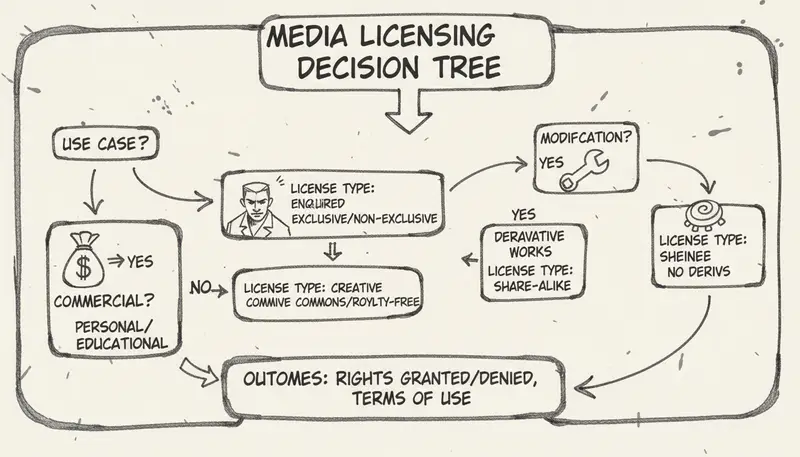
These use cases typically involve synchronization rights, public performance, distribution, and sometimes sublicensing. Be sure to verify the exact scope of rights—don't assume that 'commercial use' covers all downstream channels.
Common Misconceptions
Misconception 1: Treating plan names as permanent
AI music platforms frequently update their pricing plans. The 'Standard' or 'Pro' tiers mentioned in this blog may be outdated soon. Always refer to the most current pricing and terms page.
Misconception 2: Confusing commercial use with copyright ownership
Obtaining a commercial use license allows you to use tracks in revenue-generating projects, but it does not mean you can register all AI-generated works as original human creations or claim exclusive ownership.
Misconception 3: Ignoring copyright issues of source material
If the lyrics, samples, reference tracks, or audio files you upload infringe on others' legal rights, even if the AI platform provides broad licensing, the final generated work may still face legal risks.
Misconception 4: Not keeping relevant records
When you can't prove the track's creation date, the plan you used, the prompt you used, and the origin of your source files, many problems become much harder to resolve.
Udio vs MusicMake.ai: Common Workflow Questions
This article is meant to explain Udio's terms of service, not to judge whether one platform's legal terms are superior to another's. The truly more valuable lens is workflow.
Udio is often considered a high-quality AI music generation platform. MusicMake.ai, on the other hand, is built around a more comprehensive creation and revision workflow: Generate, AI Lyrics Generator, AI Music Style Generator, Cover, Extend, Add Tracks, Mashup, Replace Section, Vocal Remover, and Music Agent.
Music Agent's strength lies in the fact that many commercial projects don't fall apart on the first generation—they run into trouble during revisions:
- "The rhythm on this track is still off."
- "The chorus is great, but the intro is too long."
- "Keep only the guitar part."
- "Make a streamlined version for short videos."
- "Remove the vocals and export a pure instrumental version."
Using the workflow of Music Agent, Music Agent, Music GPT, or Music Chat, these revision comments can be translated into corresponding tool actions, and project history is preserved. For commercial use, these history records are also very practical compliance documentation.
Before relying on any commercial use workflow, please check MusicMake.ai's current Pricing page, Changelog, and plan terms.
If you're just creating a first draft, using Udio is enough. But for commercial projects where second and third edits are critical, open Music Agent, compare MusicMake.ai's pricing, and save your project records from the very beginning.
A More Reliable Commercial Release Workflow
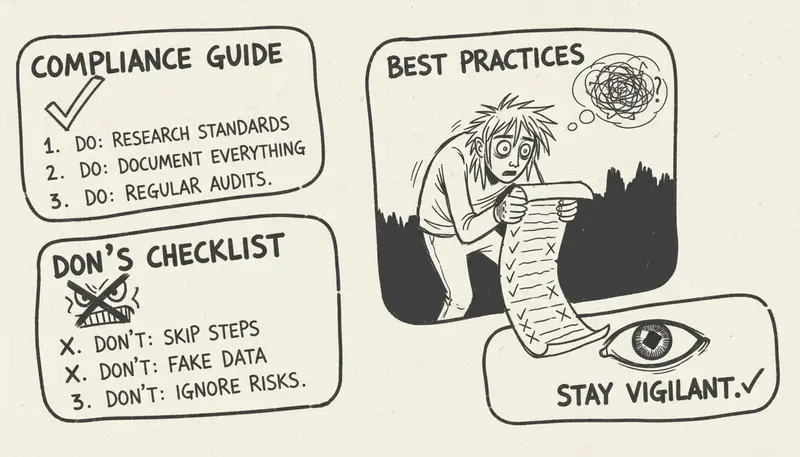
- Check the current platform's terms of service.
- Confirm the plan and usage scenario.
- Avoid imitating copyrighted artists or using unauthorized material.
- Use Generate to revise the track.
- Save all prompt, lyrics, source files, output links, exported files, and payment receipts.
- When the work is officially released, add human arrangement, editing, mixing, or performance elements.
- Check the policies of the publisher, demand-side platform, client, and ad platform.
- After publishing the project, be sure to keep the project's copyright-related folder safe.
This is slower than the "generate and upload" workflow, but that's the key difference between casual experimentation and a professional copyright-compliant workflow.
Frequently Asked Questions
Can I use music generated by Udio for commercial purposes?
It depends on Udio's current terms of service, your subscription plan, the time when the music was generated, and your specific usage scenario. As of the June 15, 2026 terms update, Udio's current terms of service contain restrictive language regarding use of the works, so be sure to check Udio's latest terms of service and pricing page before publishing.
Do I own the copyright to music generated by Udio?
Please refer directly to the current terms regarding ownership and output rights. Also note that "ownership," "license," "commercial use," "non-exclusive rights," and "copyright registration" are completely different concepts.
Can I upload a well-known song and generate a new adapted version?
Only if you own the necessary rights or have obtained authorization to do so. The output terms of AI platforms do not automatically clear copyright obstacles for third-party audio, lyrics, vocals, or sample material.
Can I sell AI-generated music to clients?
In theory, yes, but works created for clients require more thorough documentation. Before committing to deliver the final product, make sure to check the requirements for sublicensing, rights transfer, attribution, warranties, and source copyright.
Is this legal advice?
No. This article is just a practical reference guide. If you are involved in high-value commercial projects, please consult a professional legal advisor.
Summary
When using Udio-generated music for commercial purposes, the safest approach is not to treat AI music copyright issues as simple questions that can be answered in one sentence. Be sure to review the current terms of service, confirm your subscription plan, control your source material, maintain records, and never casually promise exclusive rights unless you have sufficient basis to back that promise.
For creators who are not satisfied with merely generating a first draft, MusicMake.ai's Music Agent workflow can help reduce unproductive rework, making the path from idea to final product clearer and smoother.
Compare MusicMake.ai subscription plans
Music generated with MusicMake.ai has no commercial risk; you can safely use it for all kinds of commercial projects. You can also earn free credits by checking in daily, making it easy to start creating.
Auteur

Catégories
Plus d'articles

MusicMake.ai Mobile Update: Create Music From Your Phone Like an App
MusicMake.ai now gives creators a complete mobile flow for listening, generating, refining with Music Agent, opening tools, and managing songs from a phone.

AI Songwriting Guide: How to Write Songs with AI in 2026
Learn how to use AI songwriting tools to write better songs faster. Step-by-step guide covering lyrics, melody, arrangement, and production with AI assistance.

how to become a music producer with ai tools - MusicMake.ai Guide
Learn about how to become a music producer with ai tools with this comprehensive guide from MusicMake.ai.
